

Mental health · iOS · Android · Web portal
Care that feels like trust.
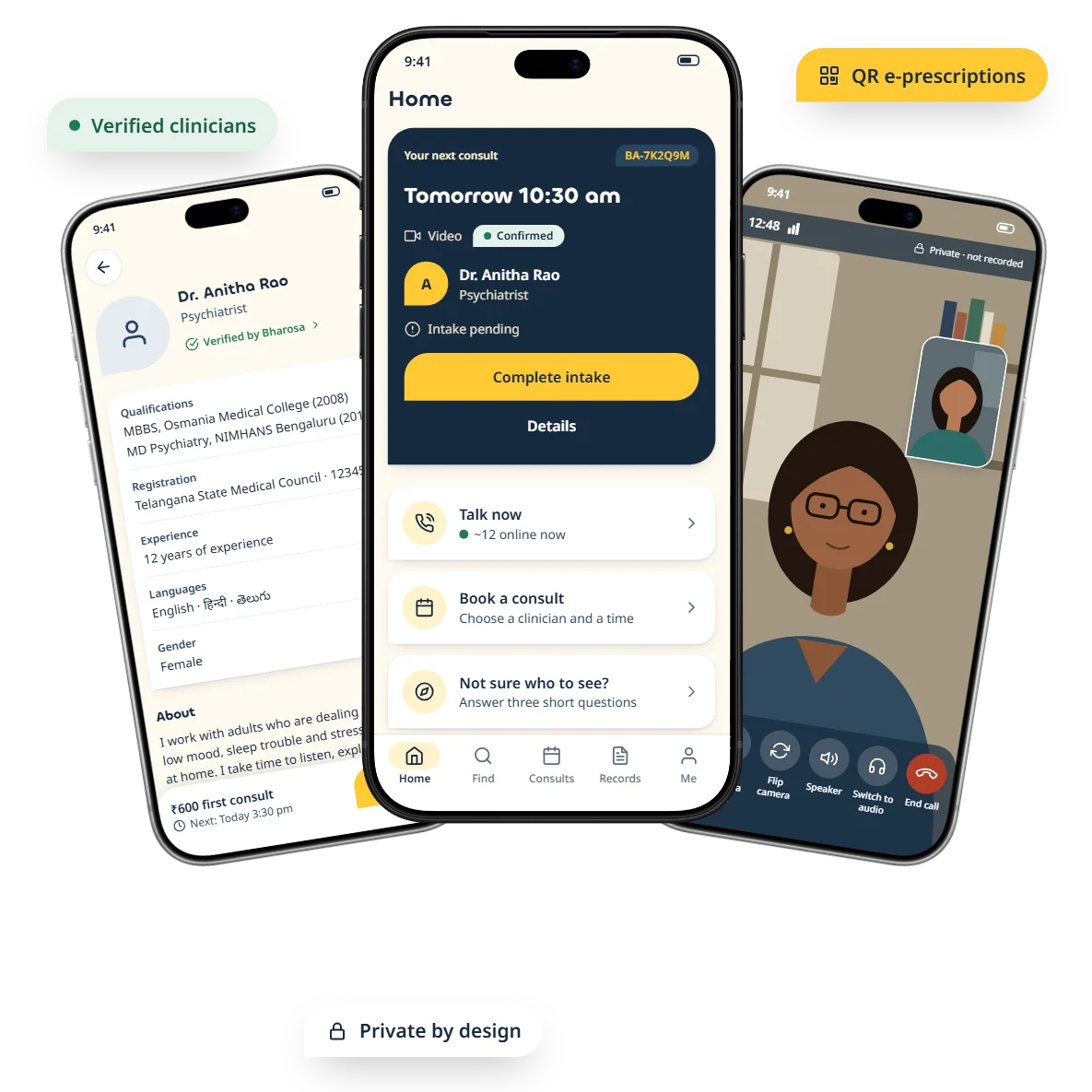
How Digital Architect took Bharosa Hospitals from an idea to a private, India-first mental-health platform — a patient app, a doctor app and a care portal, designed and engineered end to end. Then we launched it with a brand campaign of its own.
- Client
- Bharosa Hospitals, Hyderabad
- Sector
- Healthcare · Mental health
- Delivered
- 2 store apps + 1 web portal + launch campaign
- Our role
- Strategy → Design → Build → Brand → Launch
350+
screens designed, every state covered
3
apps on one platform
9
user roles mapped
3
visual directions explored
2
languages at launch
4
release gates
01The brief
A hospital people trust — now in their pocket.
Bharosa Hospitals came to us with years of trust earned in the clinic and one question: how do we carry that trust into a phone, for someone reaching out for help?
Reach beyond the hospital
Consult verified psychiatrists and therapists from anywhere in India — NRIs welcome.
Private by design
Discreet notifications, data kept in India, clinical notes seen only by the treating clinician.
Legal by default
Every prescription follows India’s Telemedicine Practice Guidelines 2020 — enforced, not hoped for.
Care, not a form
Calm and simple enough for someone reaching out in a difficult moment, maybe for the first time.
02Our process
From first conversation to store launch.
Five stages, each with something real to show at the end of it — so Bharosa’s team always knew exactly where the product stood.
- 01
Discover
Requirement gathering with Bharosa’s clinical team, a review of India’s telemedicine rules, and hands-on teardowns of Practo and Apollo 24|7.
- Requirement brief
- Competitor teardown
- Legal checklist
- 02
Define
Nine user roles, the core journeys, and every feature sorted into Launch or later — signed off at Gate 1.
- Roles & permissions
- User journeys
- Phased scope
- 03
Design
Three visual directions, one chosen, then 350+ screens covering every state — loading, offline, errors and empty.
- Design system
- Hi-fi screens
- Prototype
- 04
Develop
One TypeScript codebase producing two store apps and a web portal, on servers in Mumbai.
- iOS & Android apps
- Web portal
- APIs & integrations
- 05
Deliver
Security and load testing, a closed beta with real clinicians, a staged store rollout and launch marketing.
- Beta programme
- Store listings
- Launch campaign
03Research & benchmarks
We studied the giants — then left out what doesn’t belong in mental health.
We mapped how two of India’s best-known health apps handle every step, from search to prescription — then kept only what helps someone who is struggling.
| Workflow | Practo | Apollo 24|7 | Bharosa takes | Bharosa skips |
|---|---|---|---|---|
| Discovery | Specialty & locality search, rich filters | Specialty lists inside a broad health app | Filters + a 3-question matcher built for mental health | Rankings driven by reviews or paid listings |
| Booking | Slots and “consult now” | Slot booking | Both: scheduled consults and Talk now | — |
| Consult | Chat, audio, video | Chat, audio, video | Audio and video at launch | Chat-only first consults |
| Prescription | Separate medicine flow | Closed loop into its own pharmacy chain | QR-verifiable e-prescriptions, shared with consent | Owning stock or delivery |
| Records | Records in the app | Records in the app | A private records vault | — |
| Social proof | Public reviews | Ratings | Private feedback only | Public ratings of psychiatrists |
Guardrails we designed in
- Tele-MANAS 14416 on every screen
- No public star ratings
- No unsupervised AI ‘counsellor’
- Restricted drugs → in-person referral
04The plan
Planned in phases. Released behind gates.
Every phase had an exit gate: the build only moved on when the stage before it was proven. Paperwork started on day one, because its lead times are longer than the code’s.
- Phase
- Critical build
- Gate — the build moves on only when it’s passed
05Finding the look
Three directions. One felt like care.
We designed the same home screen in three visual languages and put them side by side. Bharosa chose Petal — warm, rounded and gentle, built from the shape of its own logo.
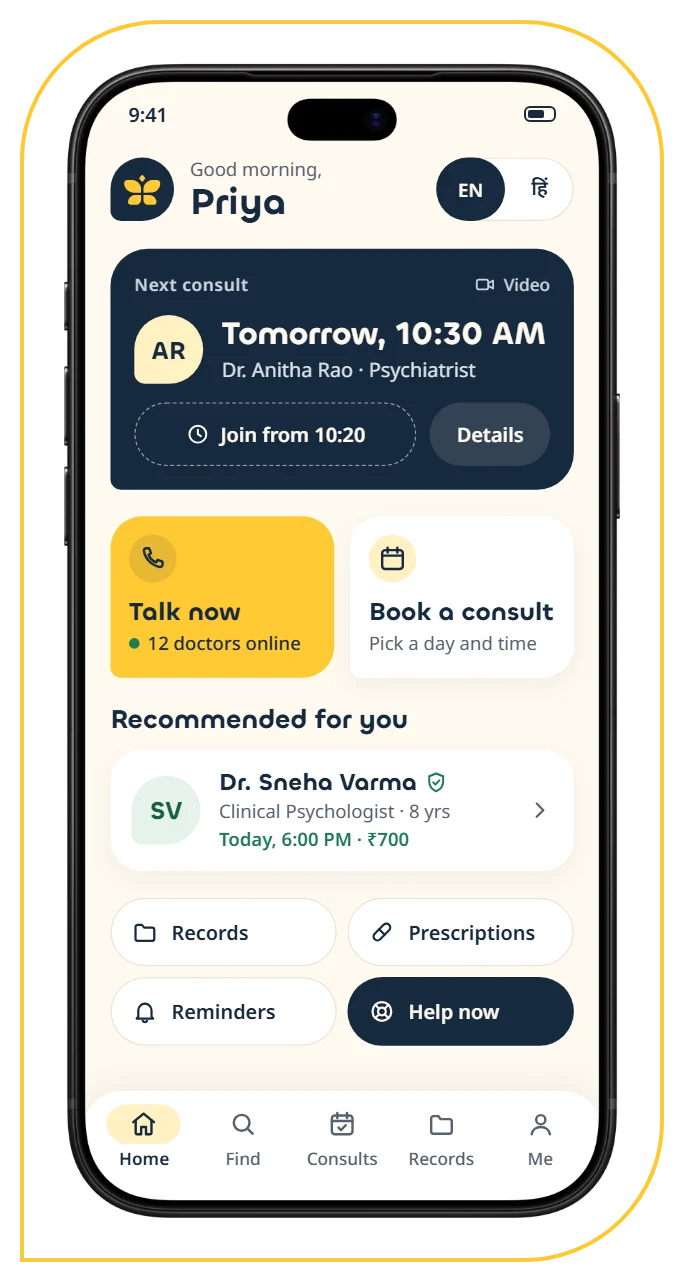
A · Petal
ChosenSoft and rounded. The logo’s petals become the shape language — big radii, pill buttons and one cut ‘petal’ corner.
Chillax + Noto Sans
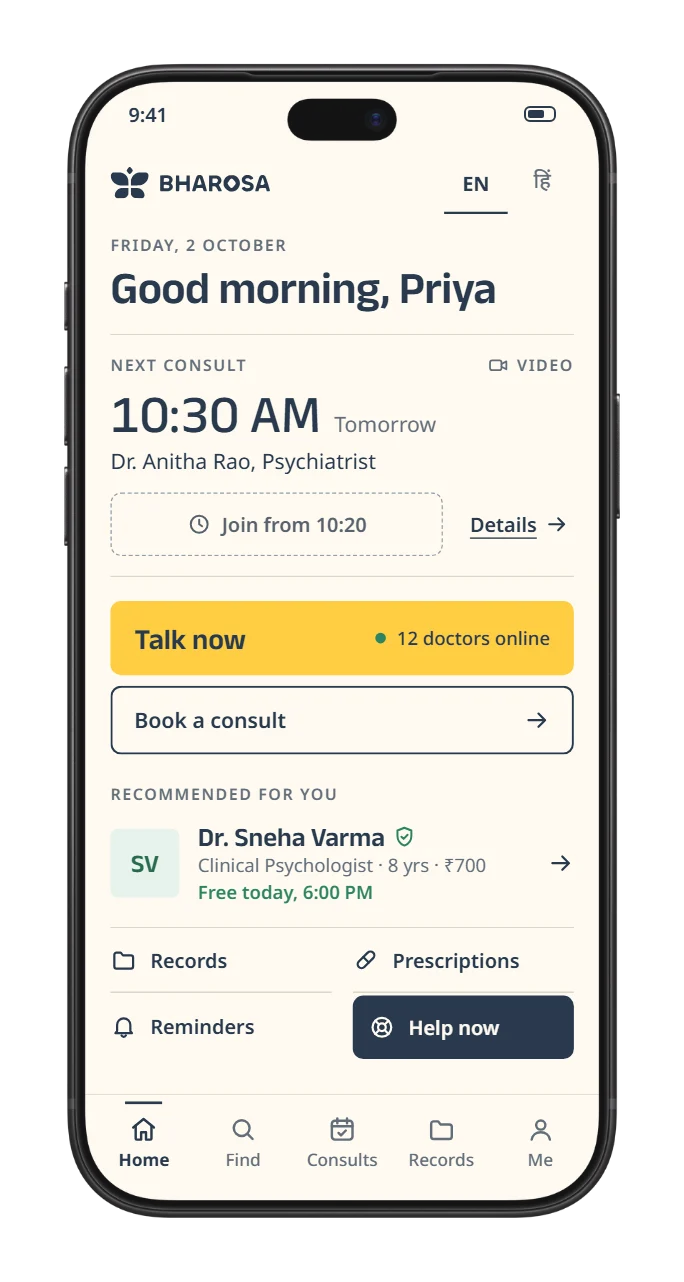
B · Quiet Page
ExploredEditorial and spacious. Type does the work; content sits in open lists split by hairlines, not boxes.
Anek Latin + Noto Sans
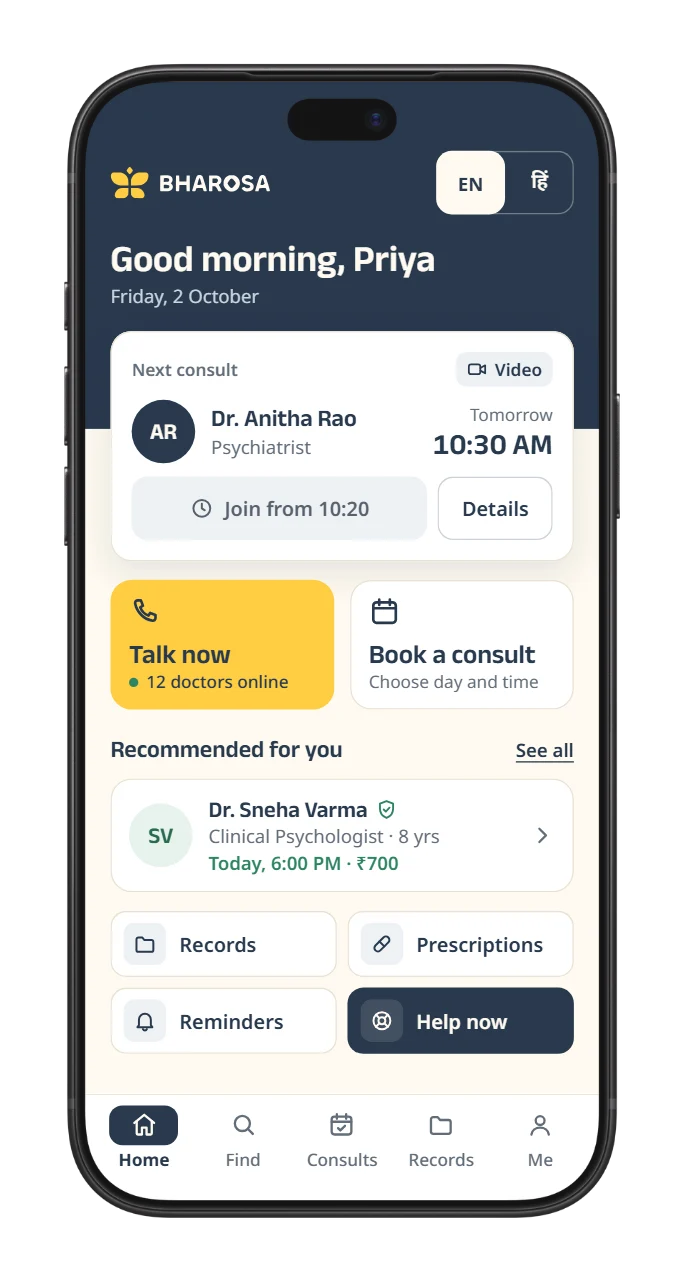
C · Anchor
ExploredCard-based and structured. A navy band anchors every screen; what you act on sits in bordered cards.
Anek Latin + Noto Sans
06Review rounds
Shaped together, round by round.
Design was a conversation. These are the calls Bharosa’s team and ours made together — each one made the app calmer, clearer or more honest.
- Round 1
We showed
Three complete visual directions — Petal, Quiet Page and Anchor.
Together, we changed it to
Petal chosen as the one visual language for all three apps.
- Round 2
We showed
Rounded corners on everything.
Together, we changed it to
Three rounded corners and one sharp bottom-left corner — the exact shape of the Bharosa logo tile — on every card, chip and button.
- Round 3
We showed
Descriptive screen titles.
Together, we changed it to
One-word headers — Home, Find, Consults, Records, Me — so nobody has to read twice.
- Round 4
We showed
A ‘Help now’ pill crowding every header.
Together, we changed it to
Clean headers; Help — support from the Bharosa team — lives in Me and settings.
- Round 5
We showed
Launch copy promising ‘24×7, anywhere in the world, every condition’.
Together, we changed it to
Honest claims: 24/7 booking and crisis help, doctors online 8 am to midnight, anywhere in India — NRIs welcome.
07Design system
One system. Three apps.
Every colour, type size and corner was set once and shared by the patient app, the doctor app and the portal — so the whole platform feels like one calm place.
Colour
- Navy#172A3FText and the key card
- Gold#FFC933The one primary action
- Cream#FFFAF0The page
- White#FFFFFFCards and sheets
- Gold tint#FFF1C2Avatars, active tab
- Sage#1E7A55Available, verified
- Sage tint#E6F2ECVerified chips
- Slate#56626FSecondary text · 6:1
- Clay#B03E28Errors only
Type
Chillax
Headings and figures · Indian Type Foundry
Tomorrow, 10:30 AM
Display 28/32 · Title 24/28 · Heading 20/24
Noto Sans
Body, labels — and Hindi in Devanagari
12 doctors online right now
सुप्रभात, प्रिया
Body 16/24 · Label 14/20 · never below 13
Shape & components
The petal corner
28 · 28 · 28 · 0. Lifted straight from the logo tile — one sharp corner that makes every card unmistakably Bharosa.
Buttons
Book a consultJoin callJoin from 10:20Gold = the one primary action per screen.
Chips & cards
Clinical psychologist
- Touch targets 48 px or larger
- Text never below 13 px
- Follows the phone’s text size
- Contrast checked on every colour pair
- English + हिन्दी from day one
08The patient app
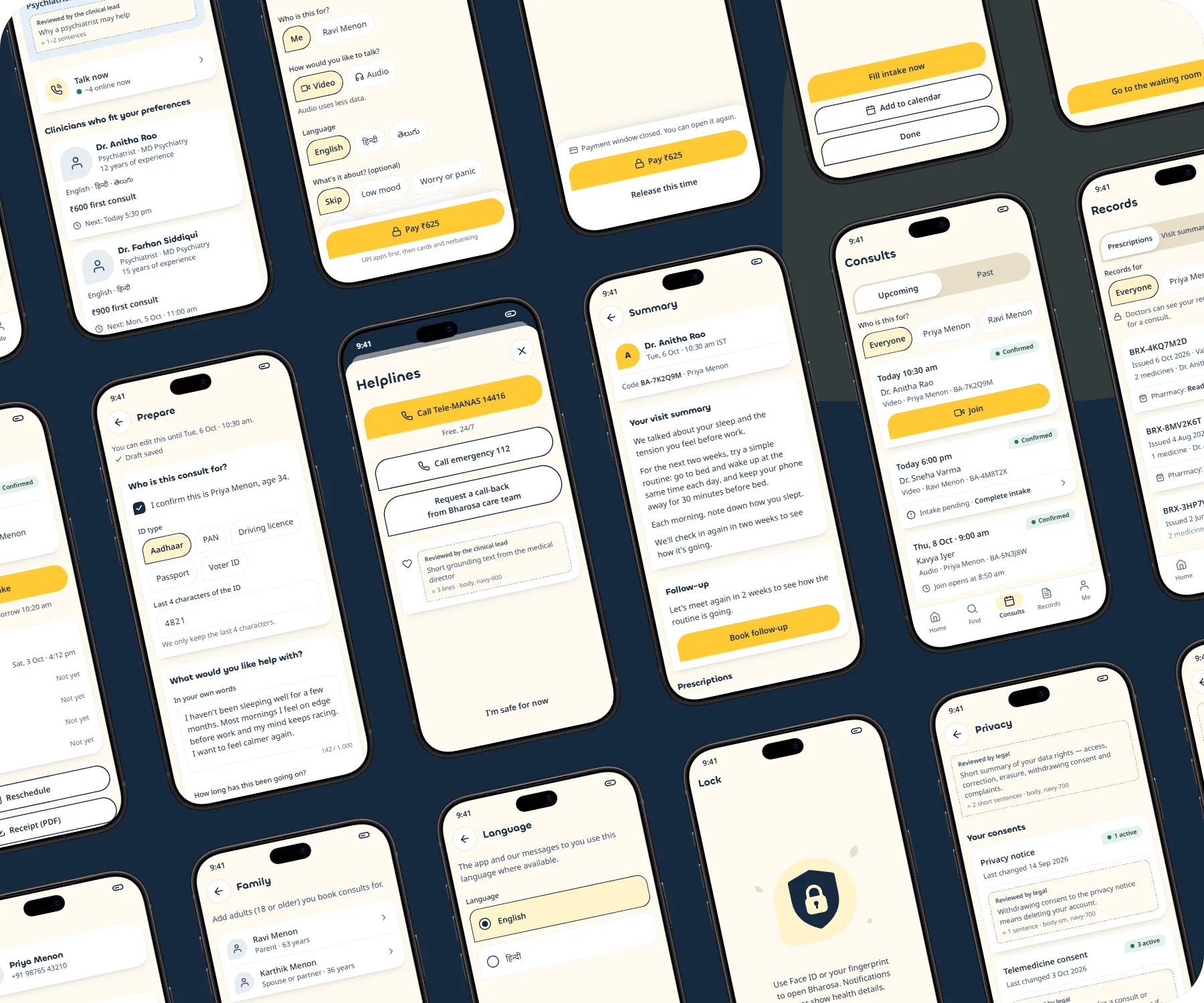
From “I need help” to a prescription — in minutes.
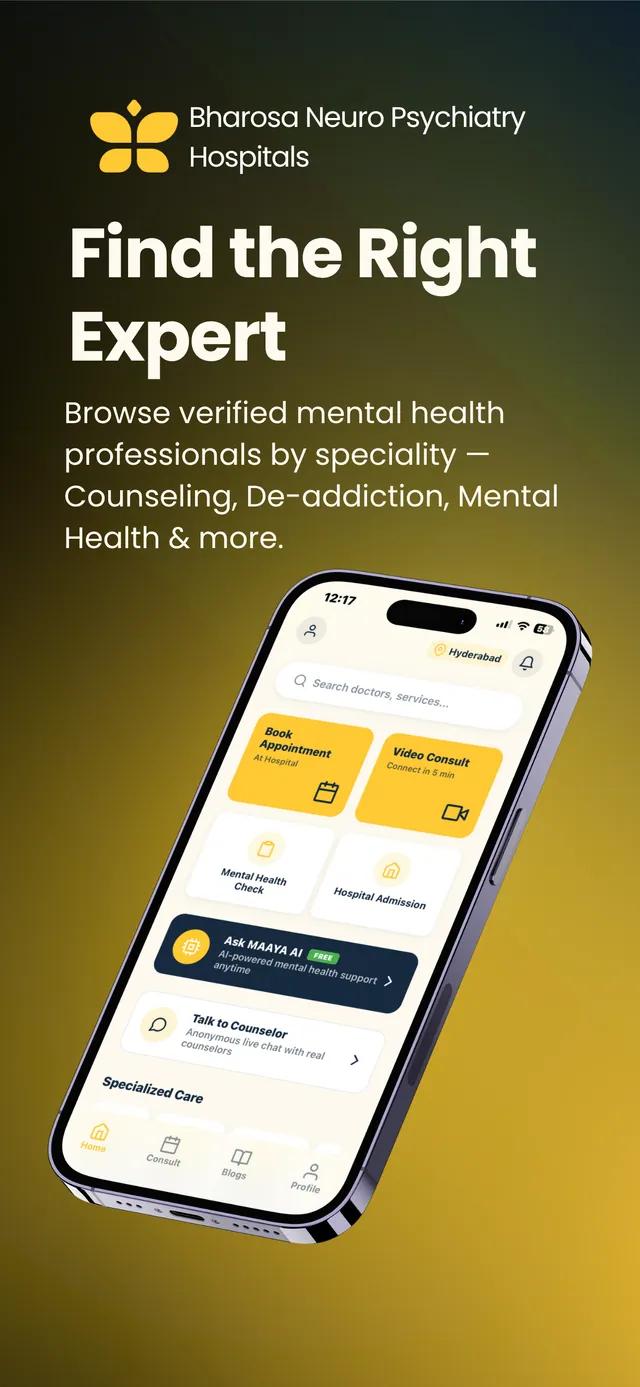
One job, end to end: take someone from reaching out to a private consult and a usable prescription, with every screen built around that single journey.
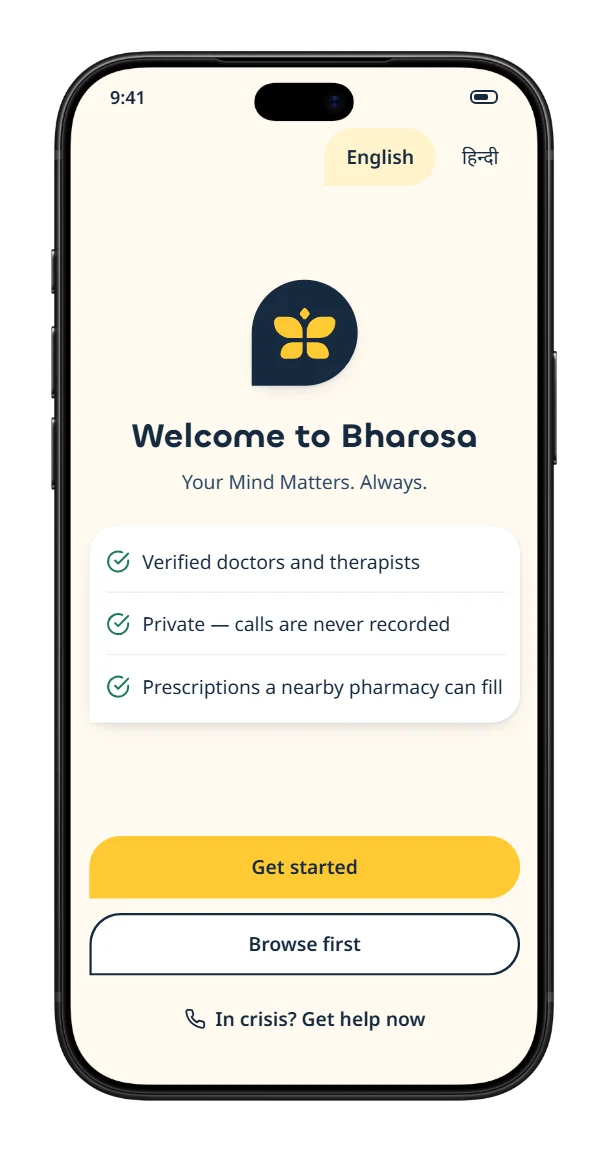 1
1Sign in, gently
A WhatsApp or SMS code — or browse as a guest first.
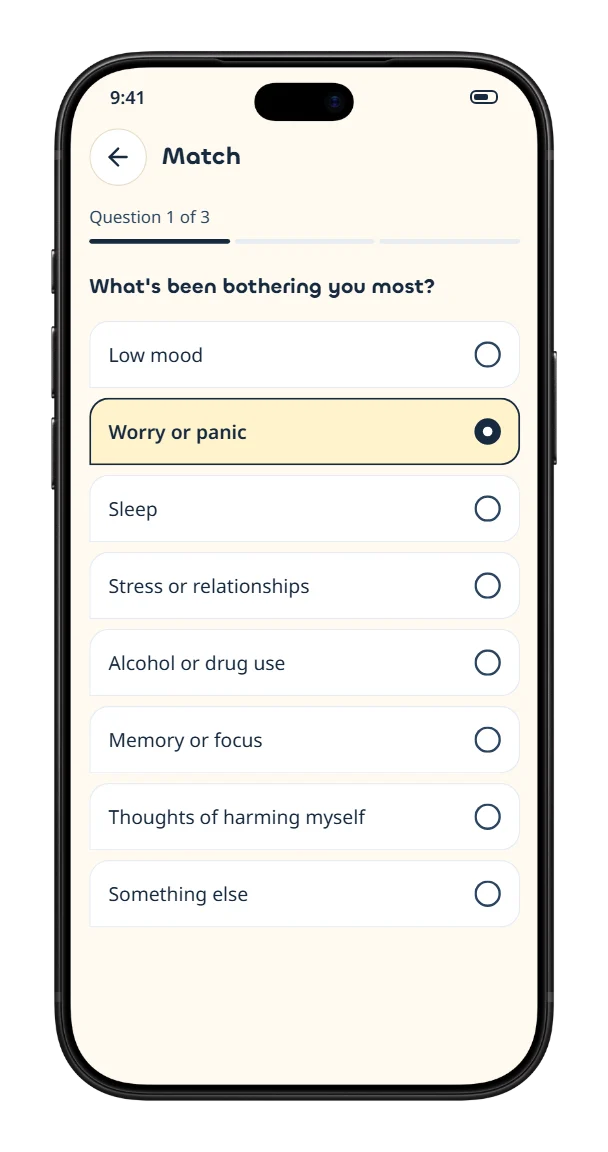 2
2Get matched
Three questions — concern, urgency, language — point to the right clinician.
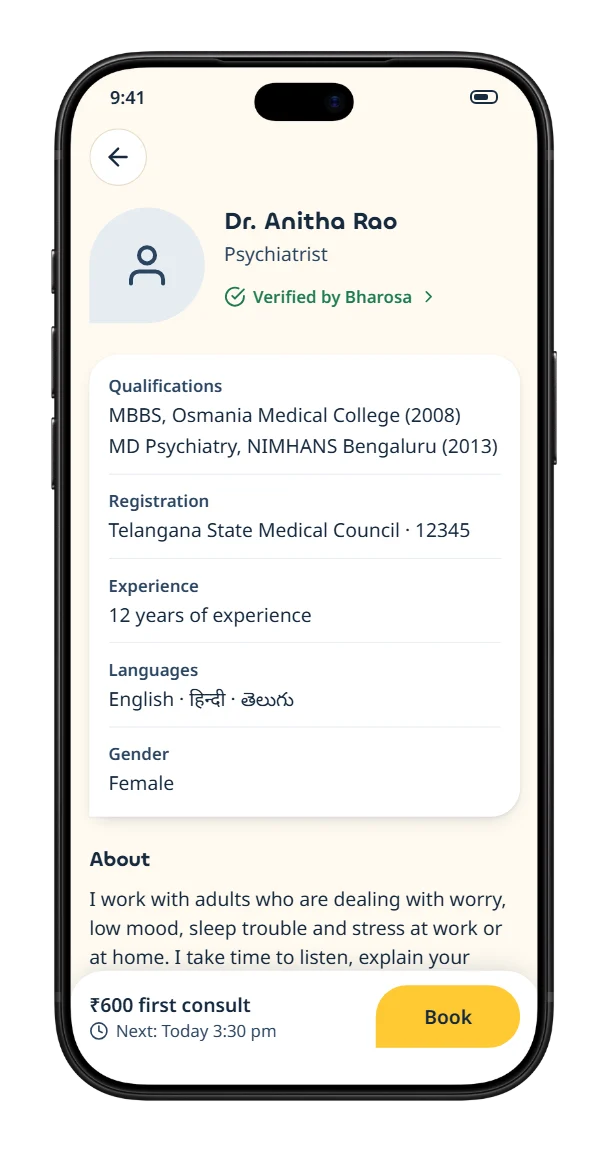 3
3Choose with confidence
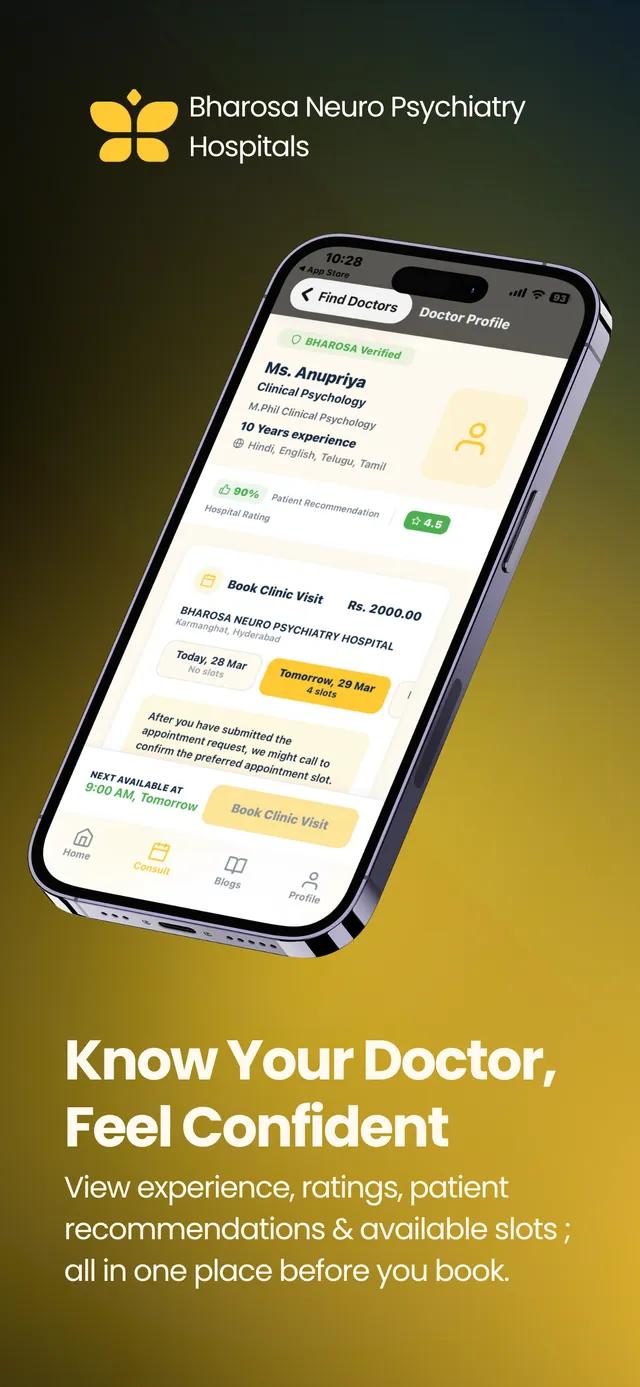
Verified registration, languages, fees and the next free slot.
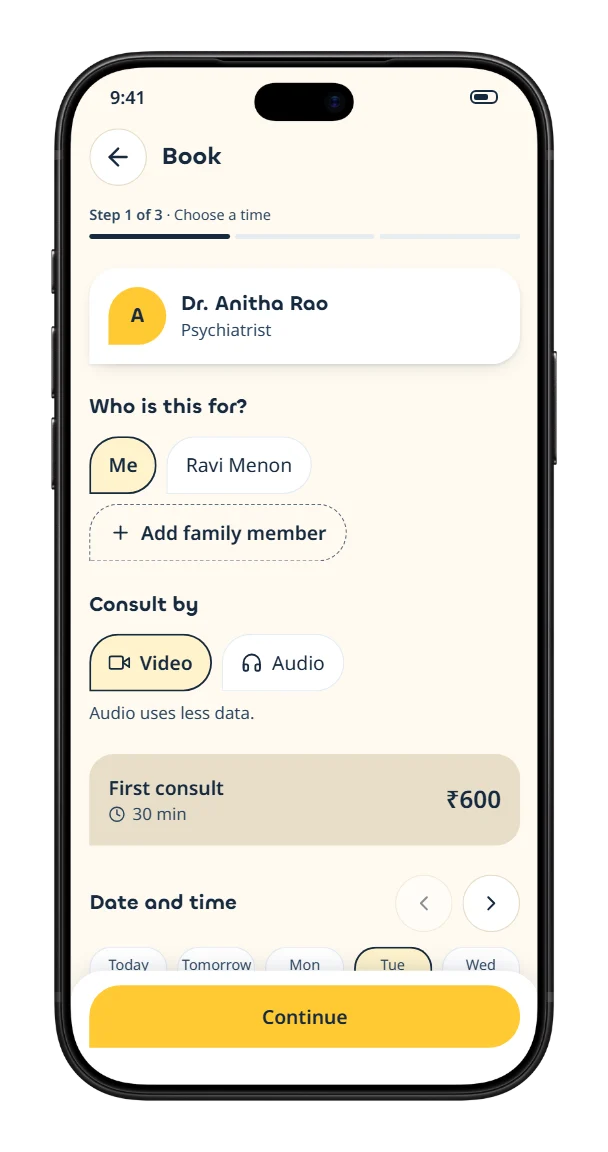 4
4Book a slot
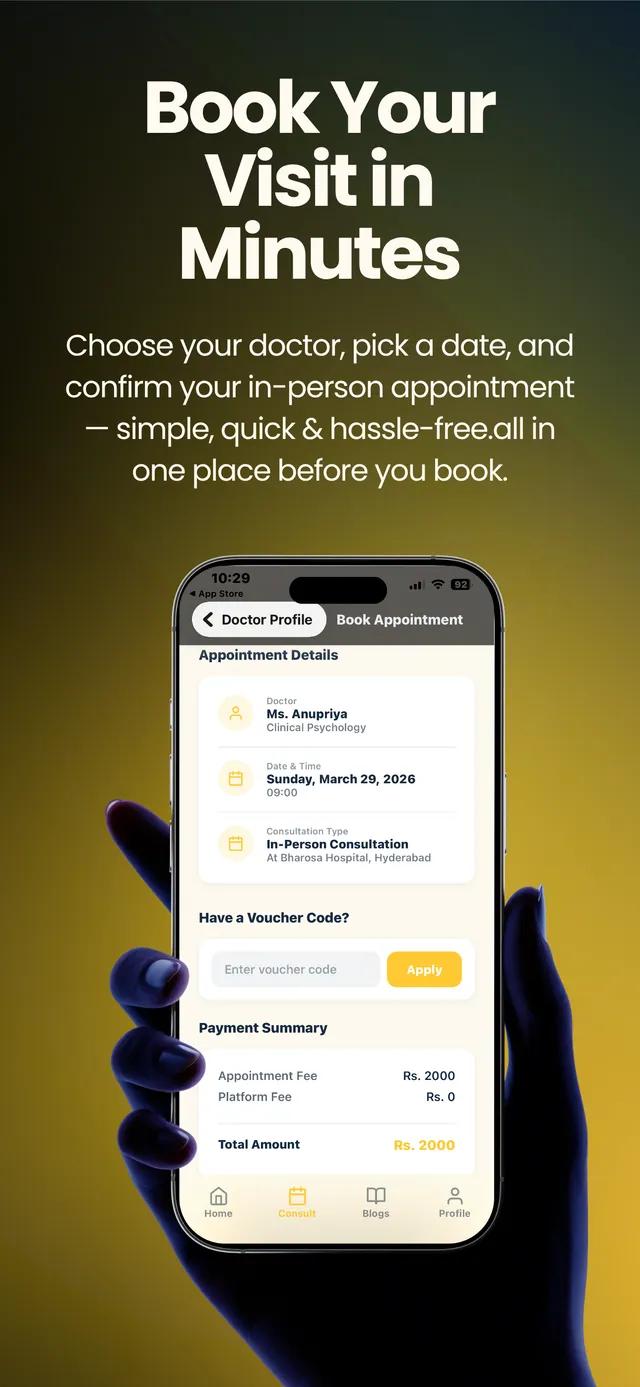
Your time is held for 10 minutes while you pay by UPI or card.
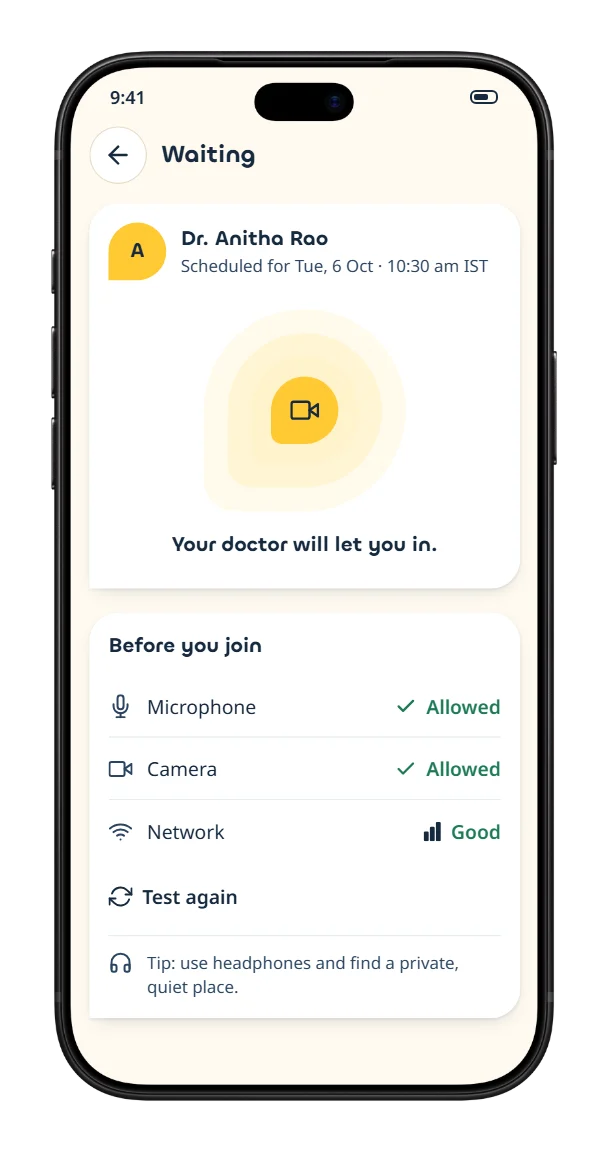 5
5Wait, calmly
The waiting room opens 10 minutes early; the clinician admits you.
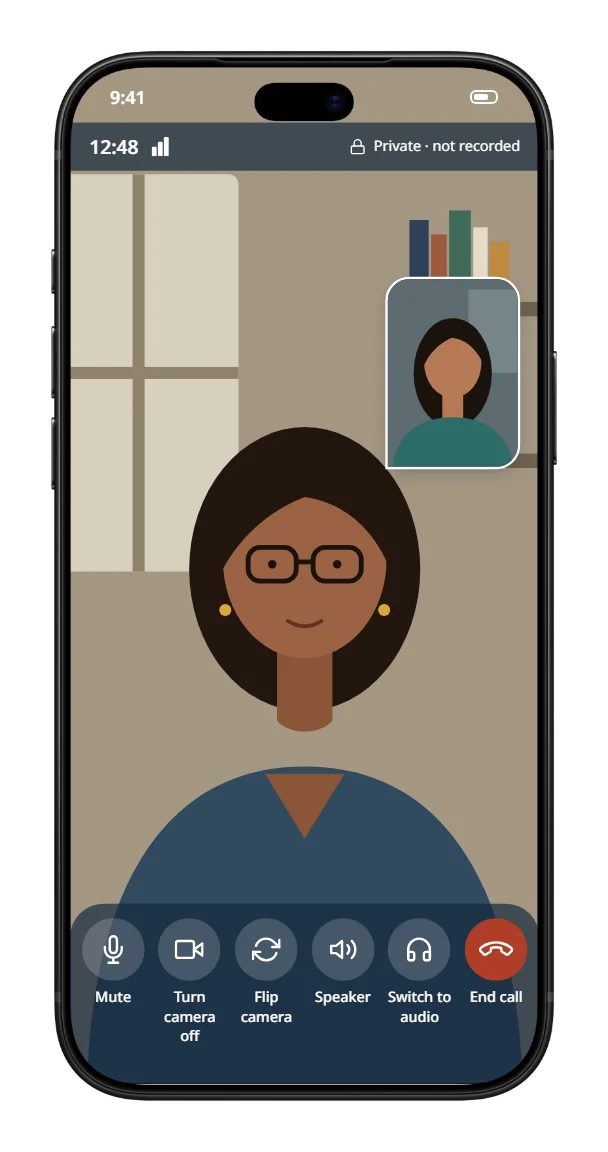 6
6Consult privately
Audio or video — calls drop to audio on weak networks.
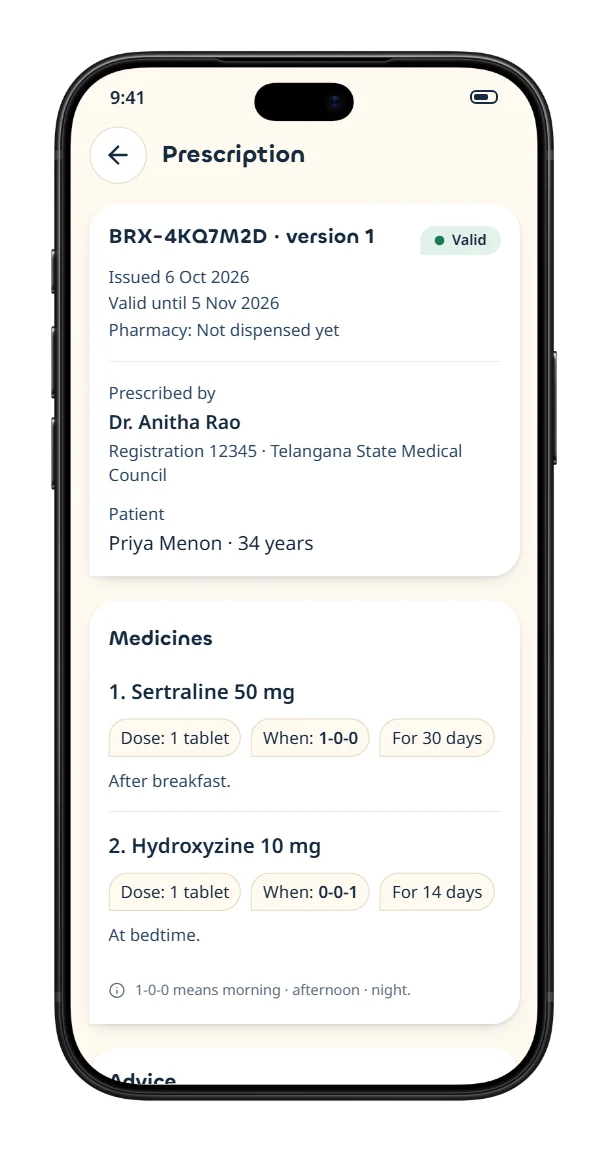 7
7Your prescription
A QR-verifiable e-prescription any pharmacy can check.
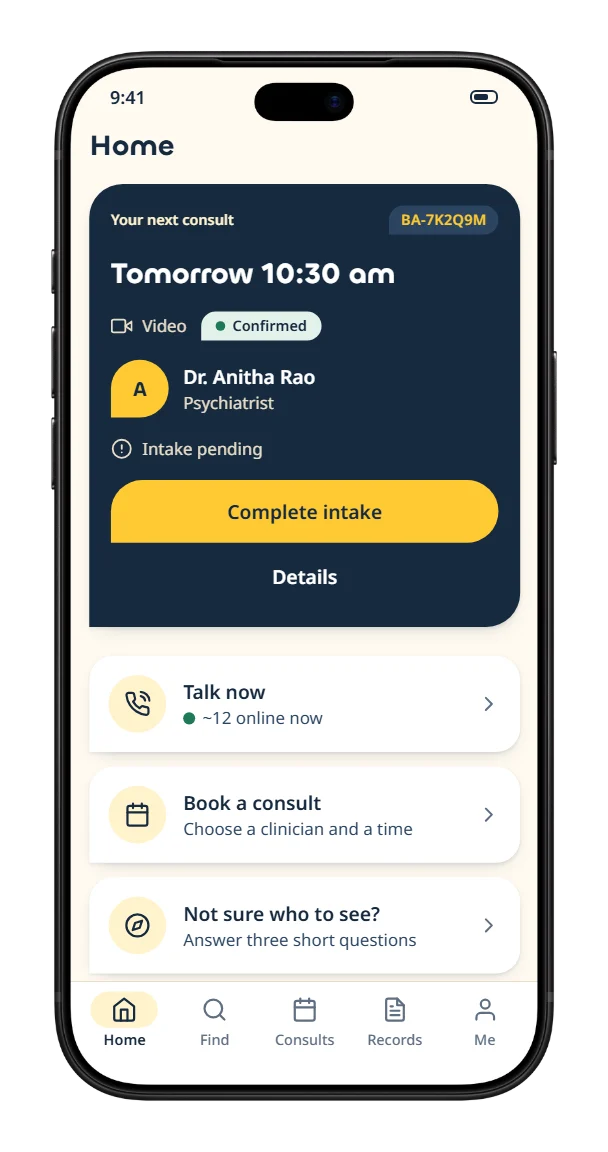 8
8Stay on track
Home brings your next consult, follow-ups and Talk now together.
Every moment designed — not just the happy path.
More than 100 patient screens: crisis help, Talk now, intake, family profiles, records, language, app lock and a full privacy centre — each with its loading, empty and error states.
09The doctor app
A calm workspace for clinicians.
Psychiatrists and therapists get their own app — with the same workspace on the web — and nobody consults until their registration has been verified.
Verified before they’re visible
- 1Sign up and choose a profession
- 2Upload degrees, council registration and ID
- 3Registration checked against the national registry
- 4Video interview with the medical director
- 5E-sign the agreement — the profile goes live
Prescription rules, built in
- First consult · audio
- Over-the-counter only
- First consult · video
- + List A medicines
- Follow-up
- + refills and add-ons
- Any consult
- Schedule X / NDPS → in-person referral
The builder enforces India’s Telemedicine Practice Guidelines 2020 — a prescription that breaks them simply can’t be signed.
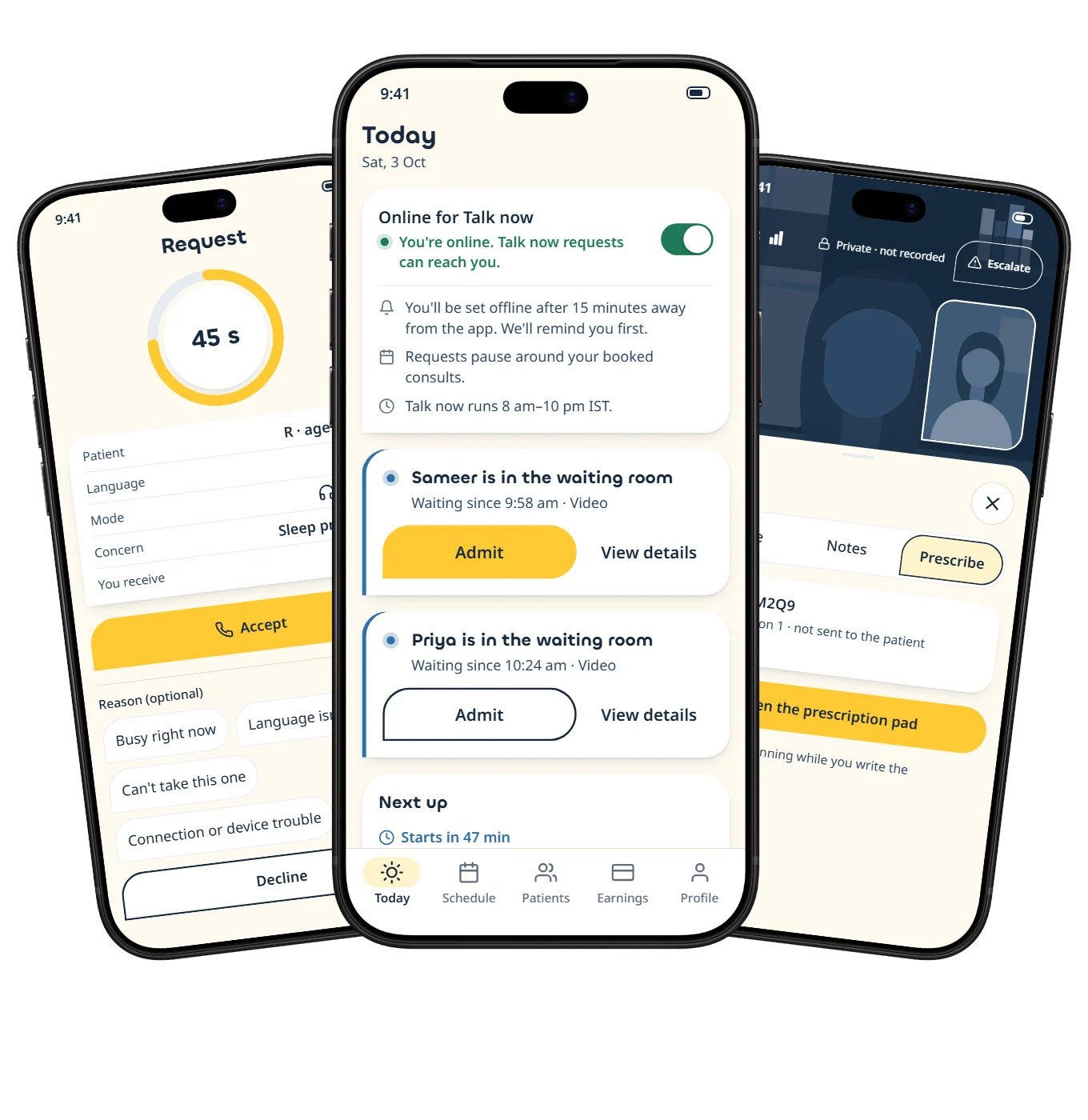
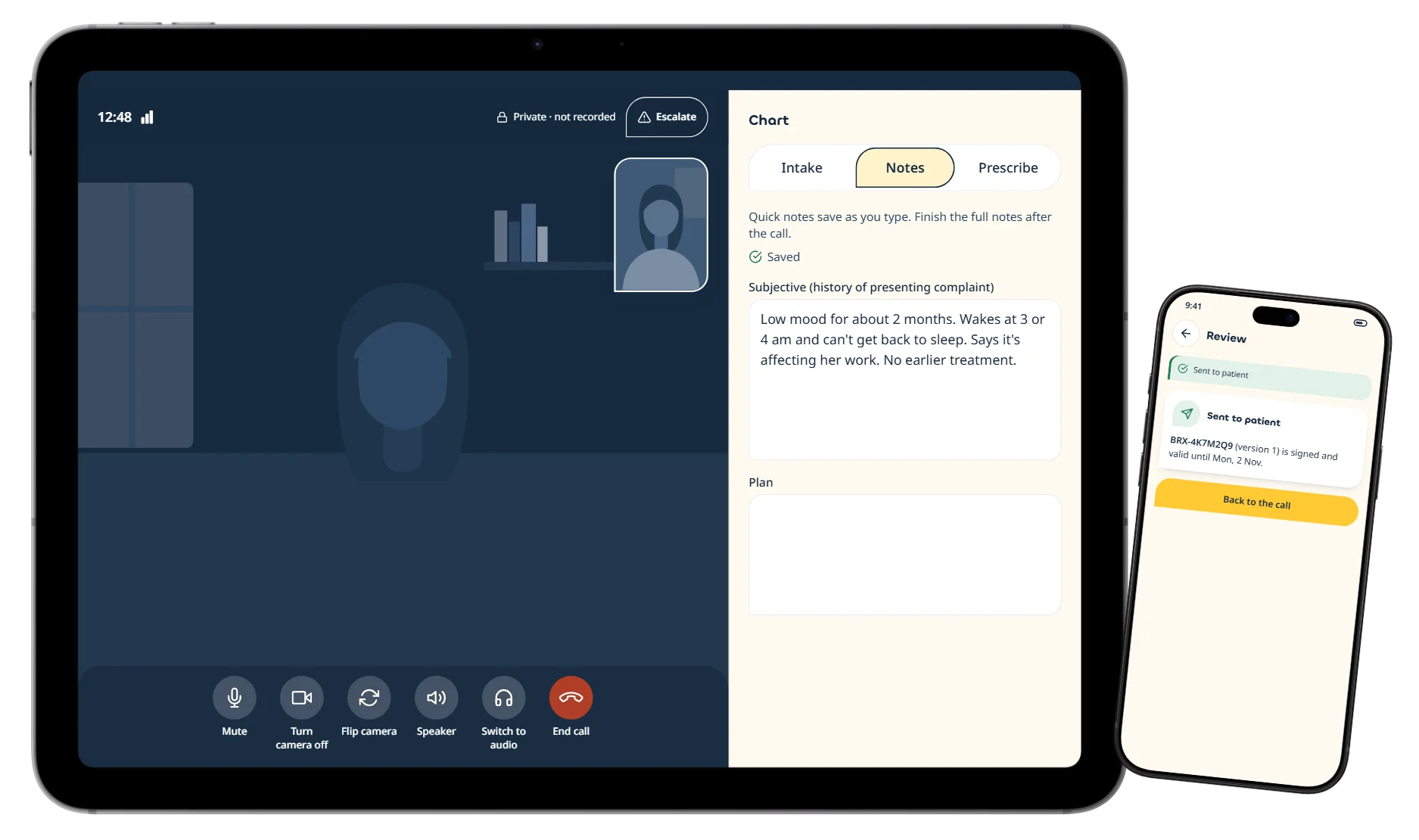
A day in the doctor app.
138 clinician screens, from verification to payouts — built for a phone between appointments and a tablet at the desk.
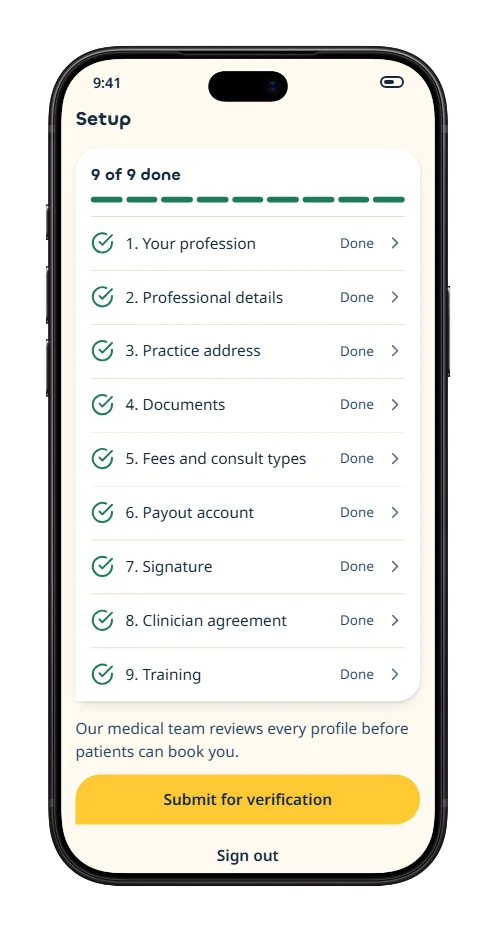
Get verified
A checklist that takes a clinician from sign-up to live.
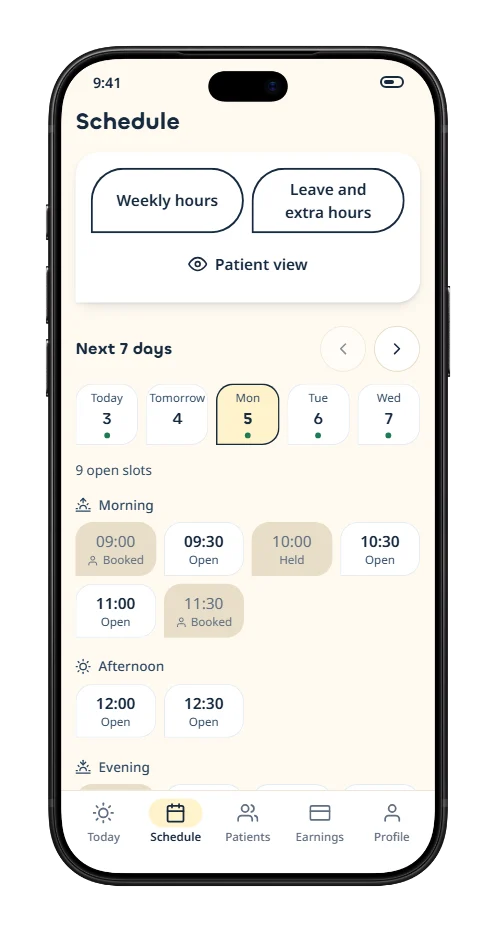
Set availability
Weekly hours, leave and slot lengths in a few taps.
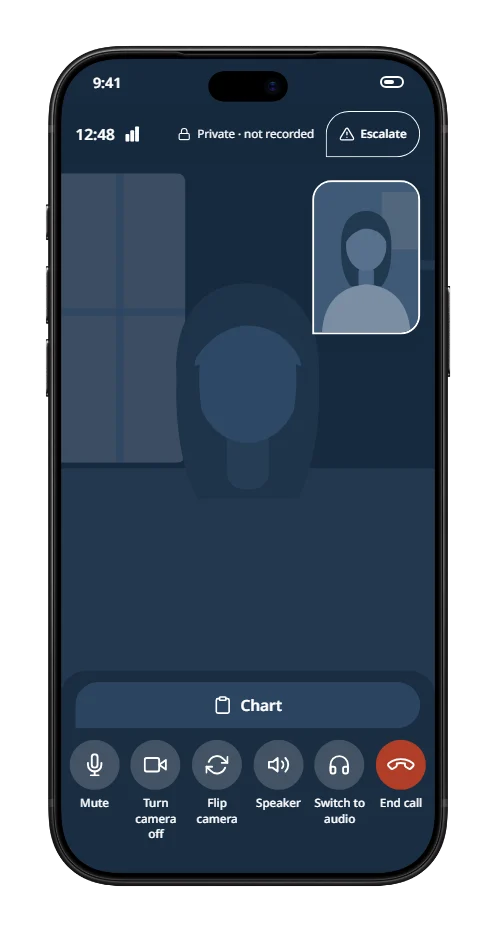
Consult
Video with the intake one swipe away.
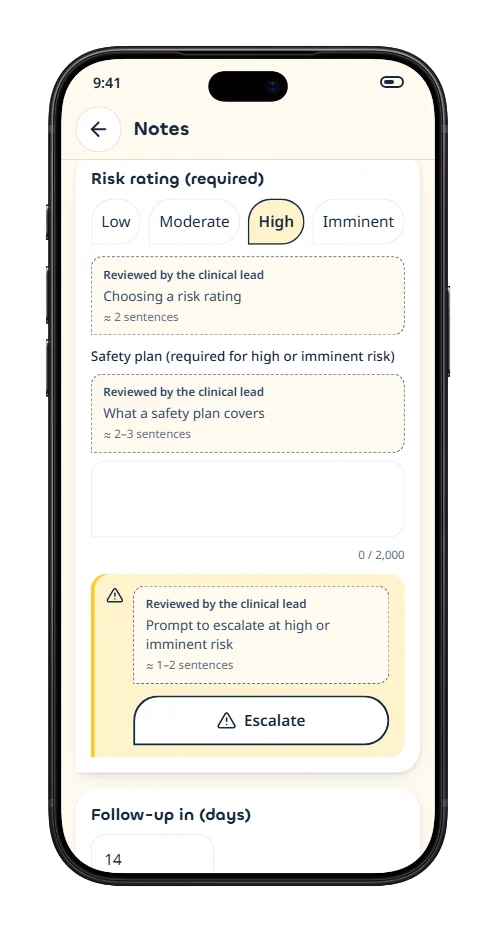
Notes & risk
A mandatory risk rating, with one-tap escalation.
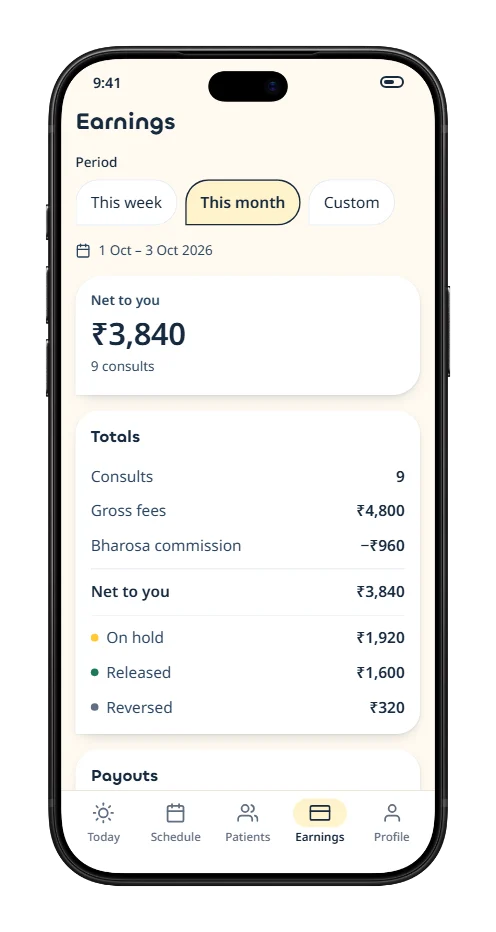
Earnings
Consults, payouts and statements in one place.
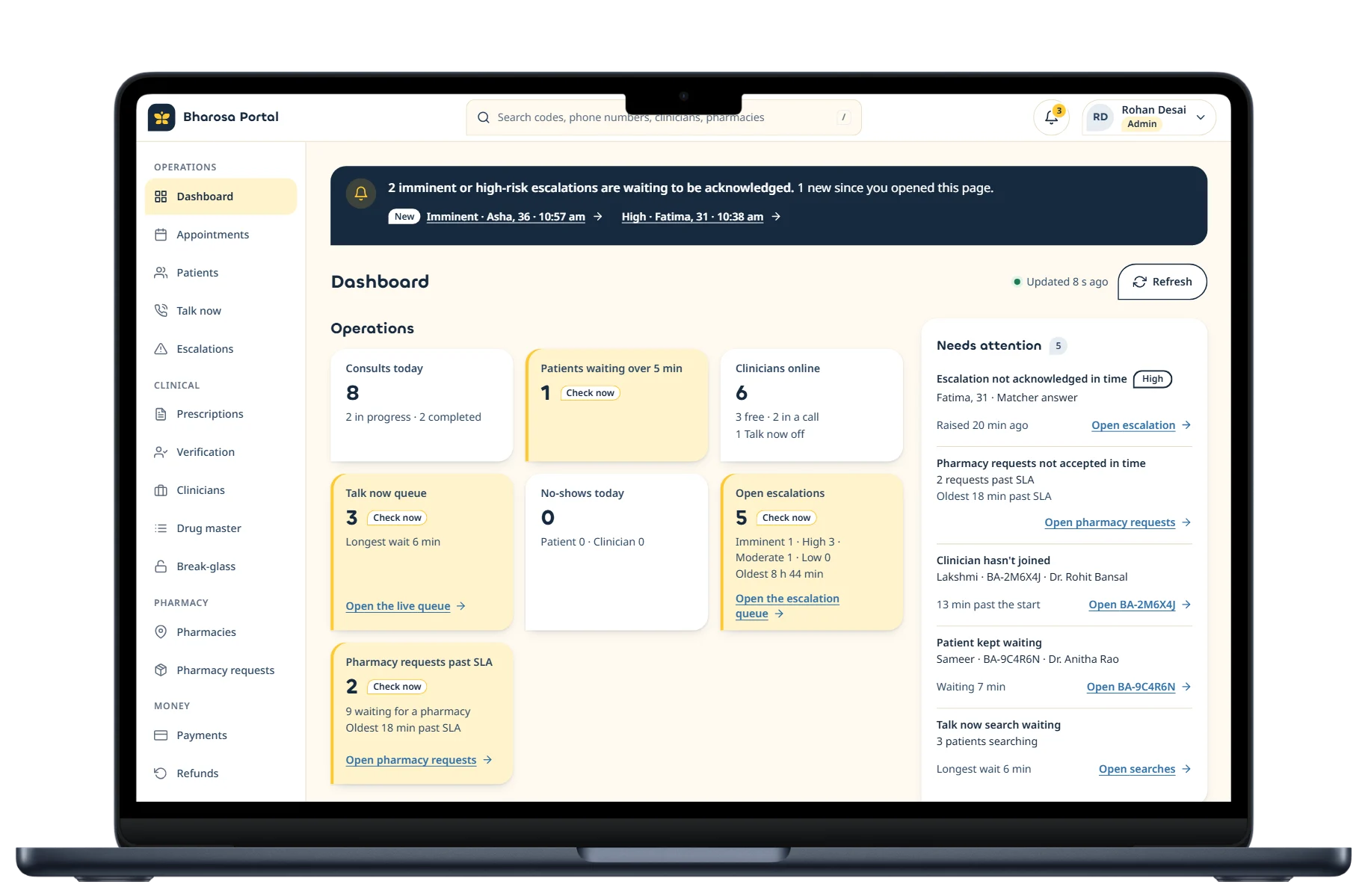
10The care portal
One window on the whole network.
Coordinators, finance and the medical director run the platform from the web — each role sees only what their job needs, and every exception is logged.
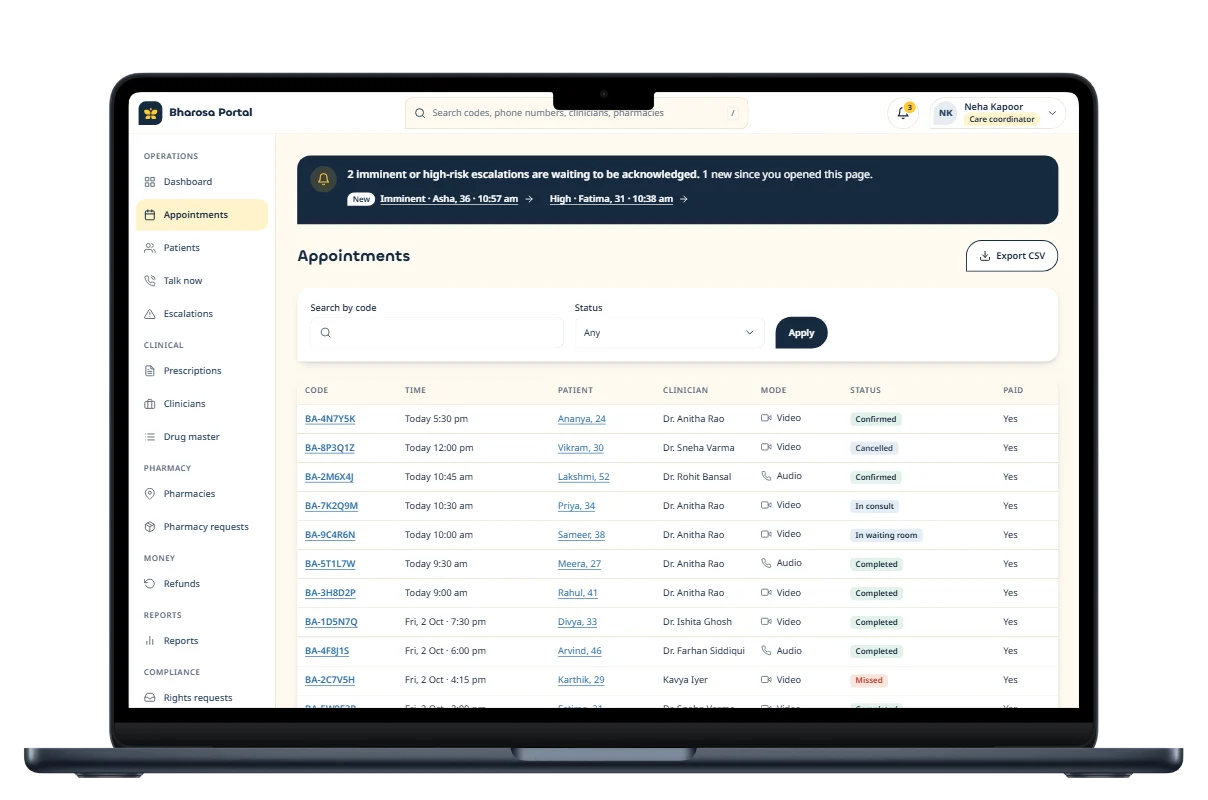
Appointments
Every consult across the network, filtered by clinician, status and time.
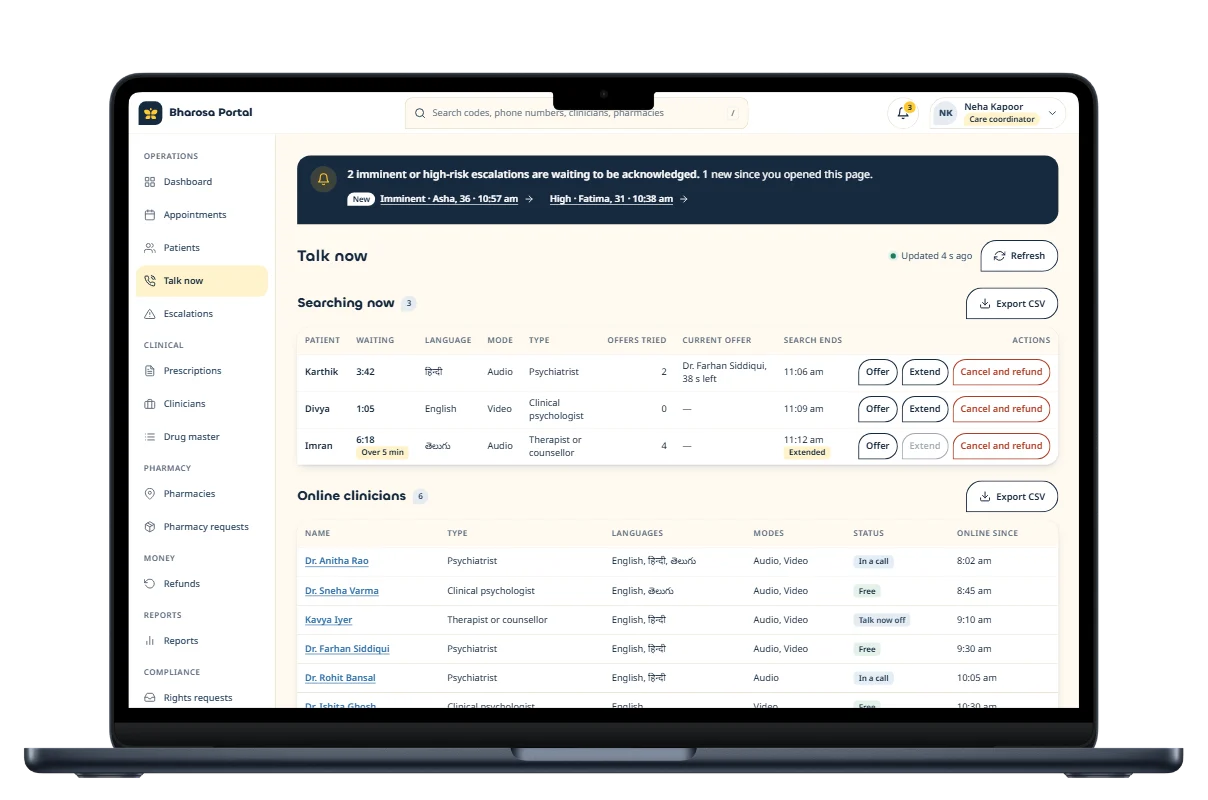
Talk now, live
Who is waiting, who is free, and every offer in flight.
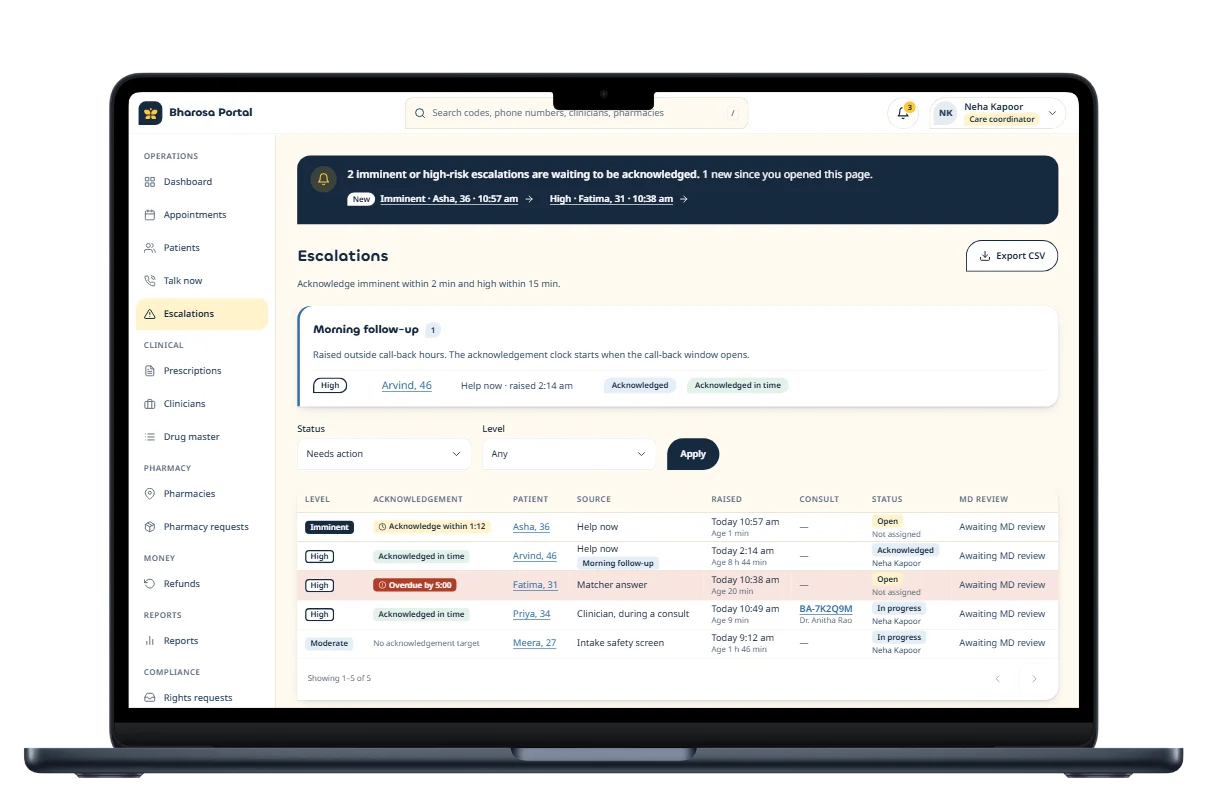
Escalations
Risk alerts from intake answers and clinicians, with call-back status.
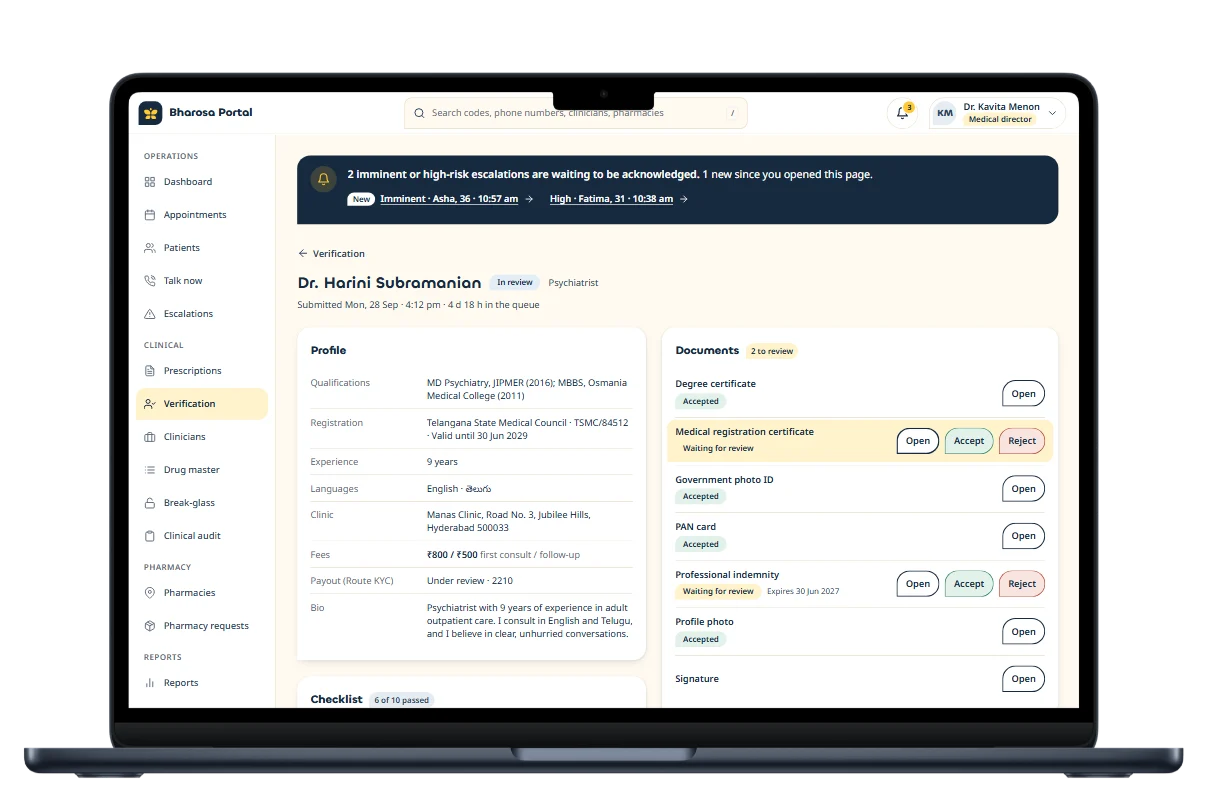
Clinician review
Documents, registration and signature checked before anyone goes live.
One portal, five roles
- Care coordinators
- Finance
- Medical director
- Pharmacy partners
- Admin
11What makes it different
Built for mental health — not adapted to it.
Every feature had to earn its place by making care safer, kinder or easier to reach. These are the ones that set Bharosa apart.
Matched in three questions
Concern, urgency and language point to the right kind of clinician — rules reviewed by the clinical lead, not guessed by AI.
Talk now
Connect to the next free clinician, with a 15-minute target, from 8 am to midnight.
Crisis help, one tap away
Tele-MANAS 14416 and emergency numbers on every surface; risky answers alert a coordinator.
Prescriptions that follow the law
Telemedicine rules are built into the prescription tool; restricted medicines become referrals.
QR-verifiable prescriptions
Any pharmacist can check a prescription is genuine — without logging in to anything.
Private by design
Data stays in India; notifications never name a diagnosis or a medicine.
In your language
English and Hindi at launch, with Telugu next.
No public star ratings
Private feedback after every consult — mental-health care isn’t a leaderboard.
12Under the hood
Engineered for privacy — and scale.
One TypeScript codebase produces two store apps and a web portal, all on one backend in Mumbai. Only small, audited functions ever talk to the outside world.
- Patient appiOS & Android
- Doctor appiOS & Android
- Care portalWeb, role-based
One backend · Mumbai
Supabase
- Postgres with row-level security
- Sign-in, private file storage
- Edge Functions guard every payment, call and prescription
- Data stays in India
- 100msAudio & video calls, India region
- RazorpayUPI, cards & automatic payouts
- WhatsApp Cloud APISign-in codes & reminders
- Masked calling & SMSNumbers never exposed
Built with
- Expo
- React Native
- TypeScript
- Turborepo
- NativeWind
- Supabase
- PostgreSQL
- Edge Functions
- 100ms
- Razorpay Route
- WhatsApp Cloud API
- Cloudflare Pages
- EAS Build & Update
- GitHub Actions
- Sentry
- PostHog
13What we delivered
One studio. Every layer.
Bharosa worked with one team from the first requirement to the launch campaign — no hand-offs between agencies, no gaps between design and code.
Strategy
- Product strategy
- Requirement gathering
- Competitor teardown
- Compliance mapping
UX & UI design
- User journeys
- Information architecture
- Visual design
- Design system
- Prototyping
Development
- iOS & Android apps
- Web portal
- Backend & APIs
- Payments & video
- WhatsApp automation
Quality
- Security testing
- Accessibility checks
- Device testing
- Store submissions
Growth
- Landing page
- SEO content
- Launch campaign
- Analytics
14Branding · Launch campaign
Your Mind Matters. Always.
A quiet campaign for a heavy subject. Instead of shouting, every piece says one true thing — gently — in Bharosa’s own petal shape, colours and type.
- 01
One idea per piece
Each poster carries a single message, with plenty of room to breathe.
- 02
Honest claims only
No cure promises, no “doctors 24×7” — only what the service really does today.
- 03
Help on every piece
The Tele-MANAS crisis line sits quietly at the foot of every poster.
- Navy#172A3FGold#FFC933Cream#FFFAF0
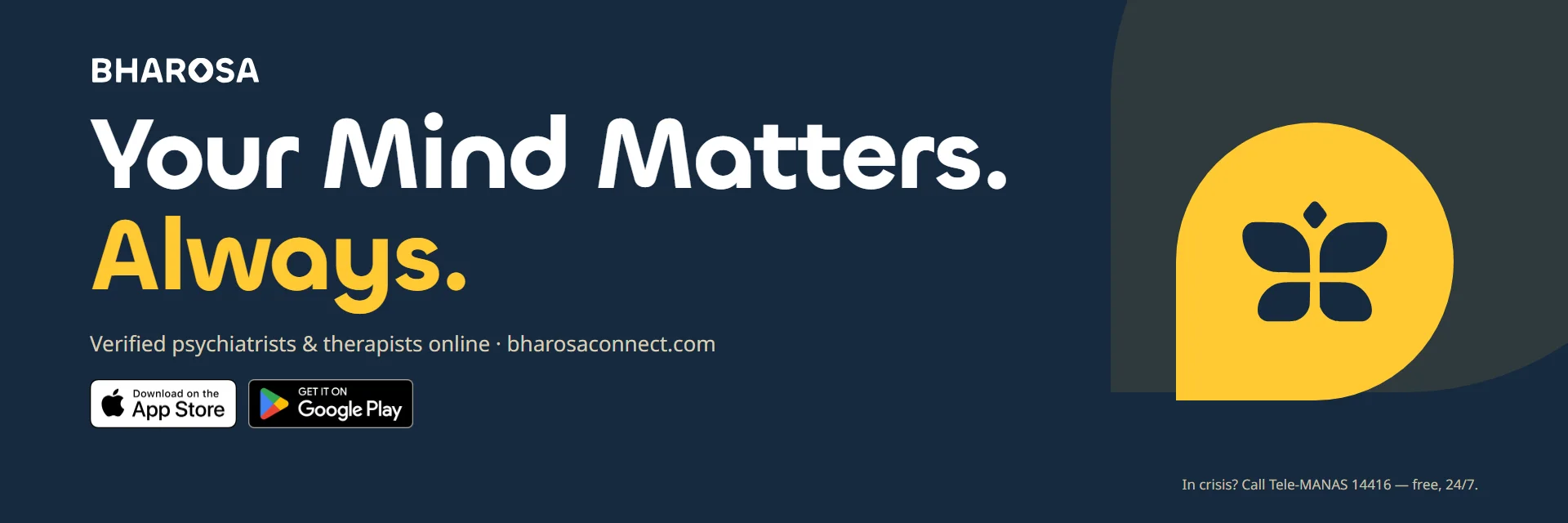
Nine posters. One true thing each.
Introductions, the name, privacy, Talk now, language, matching and the app itself — every poster carries the crisis line at its foot. Tap any poster to see it full size.
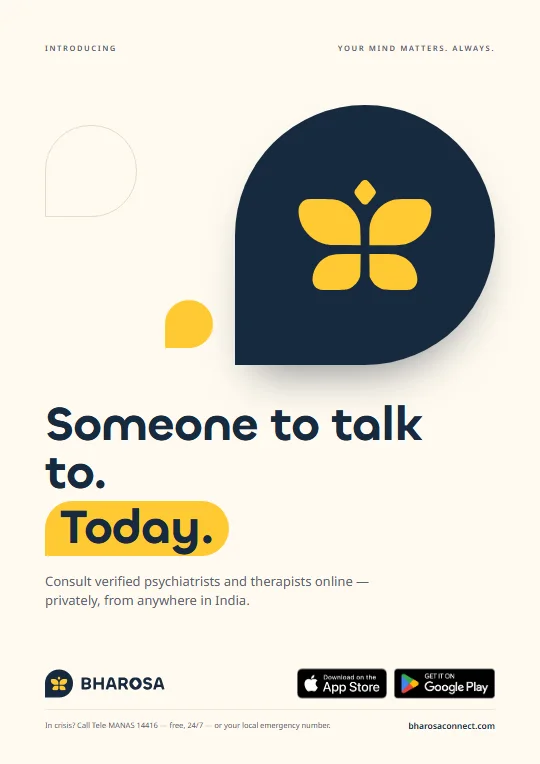
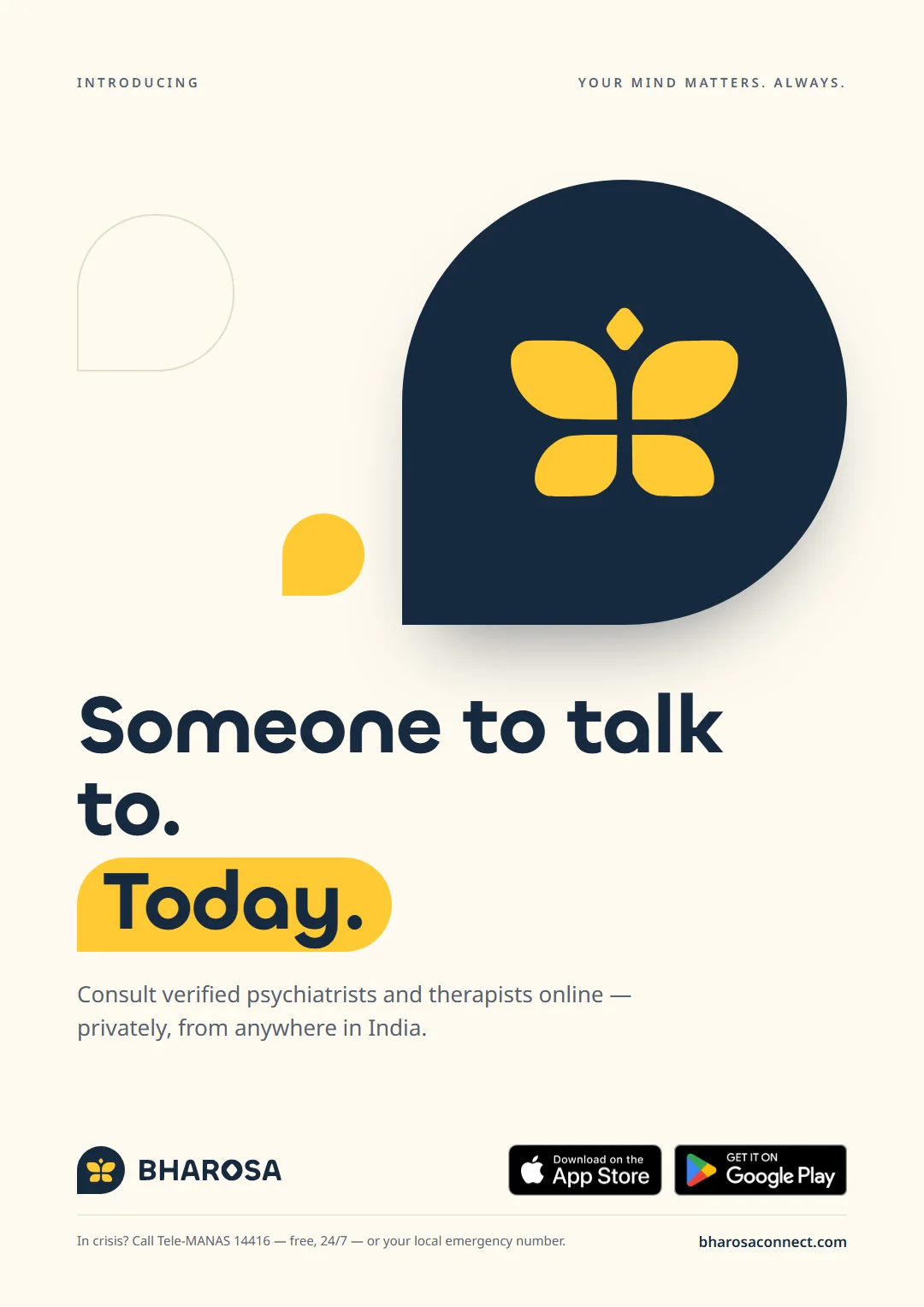
Poster 01
Someone to talk to. Today.
Introducing — consult verified psychiatrists and therapists online, privately, from anywhere in India.
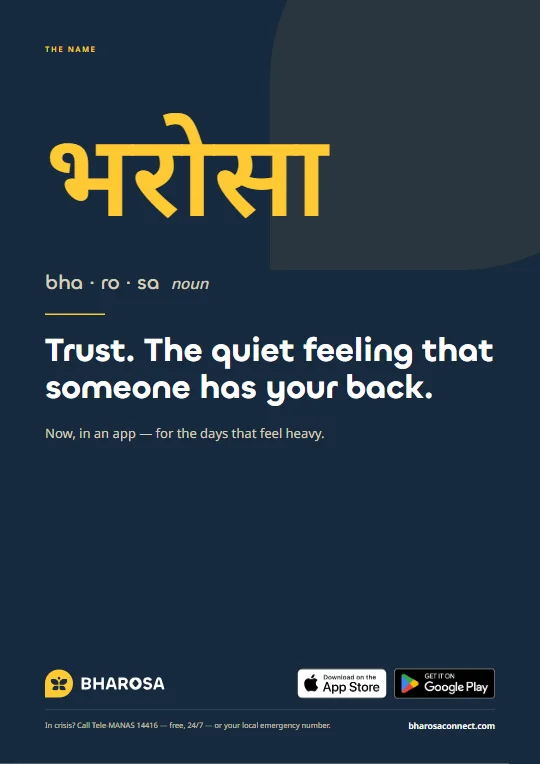
Poster 02
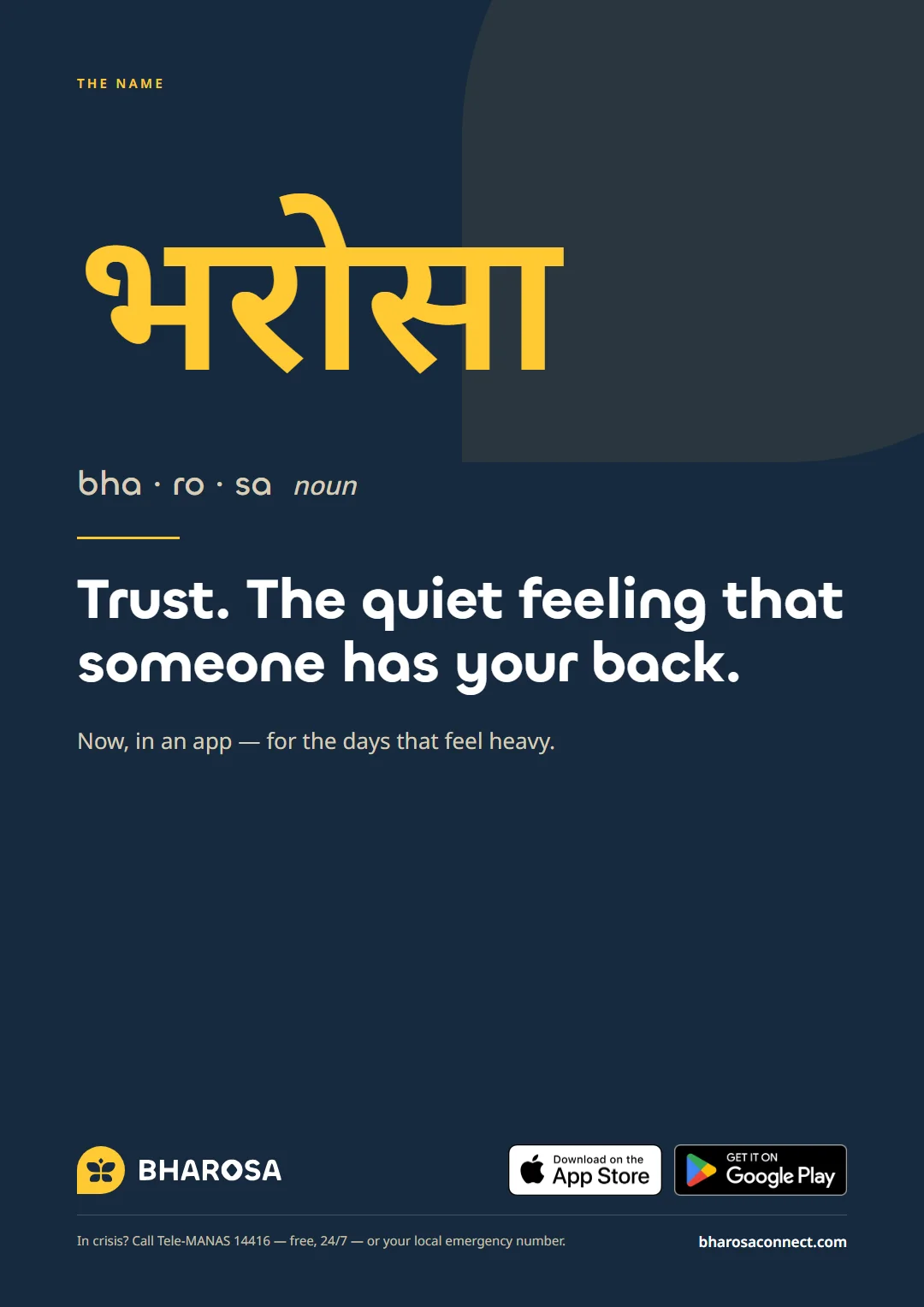
भरोसा — the name
Trust. The quiet feeling that someone has your back. Now, in an app — for the days that feel heavy.
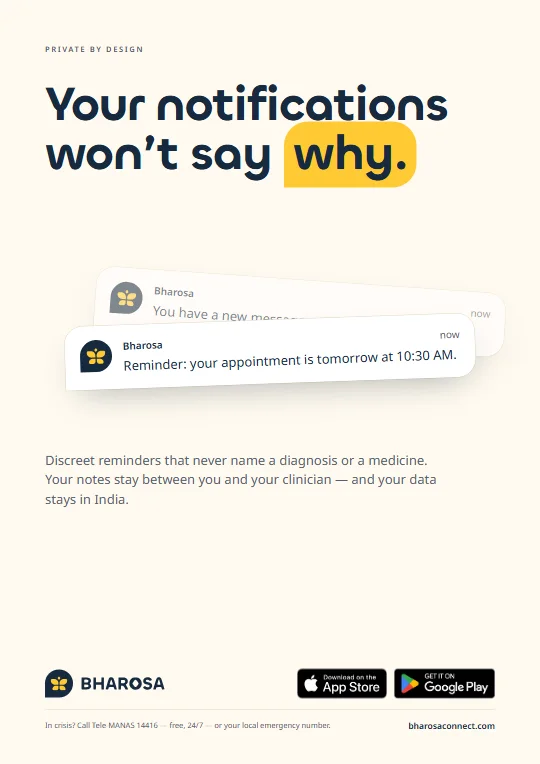
Poster 03
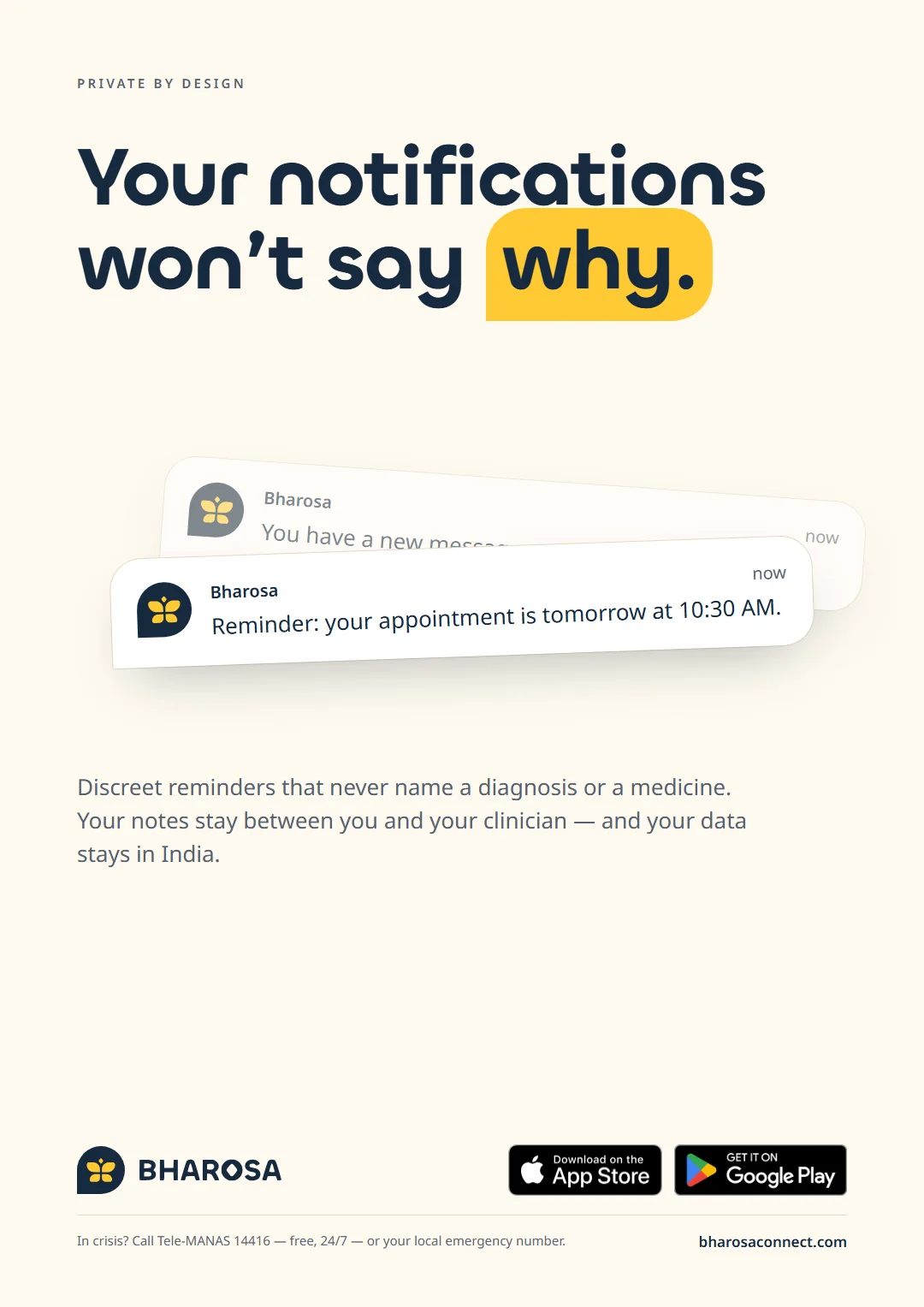
Your notifications won’t say why.
Discreet reminders that never name a diagnosis or a medicine.
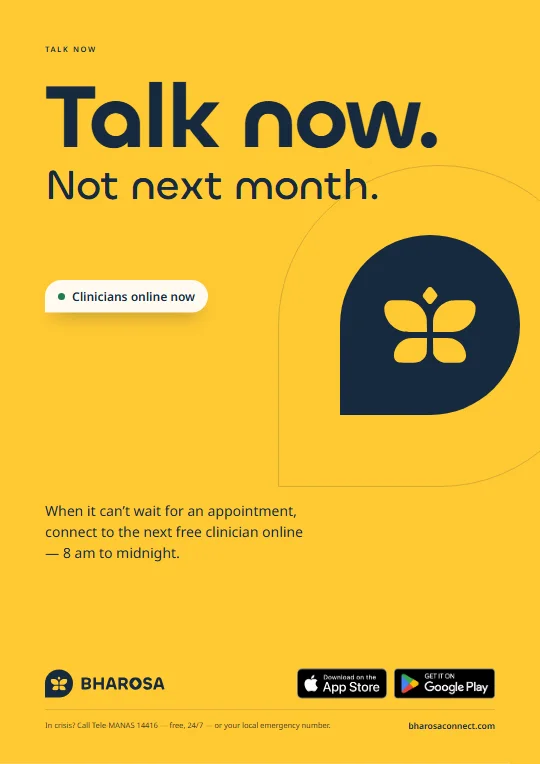
Poster 04
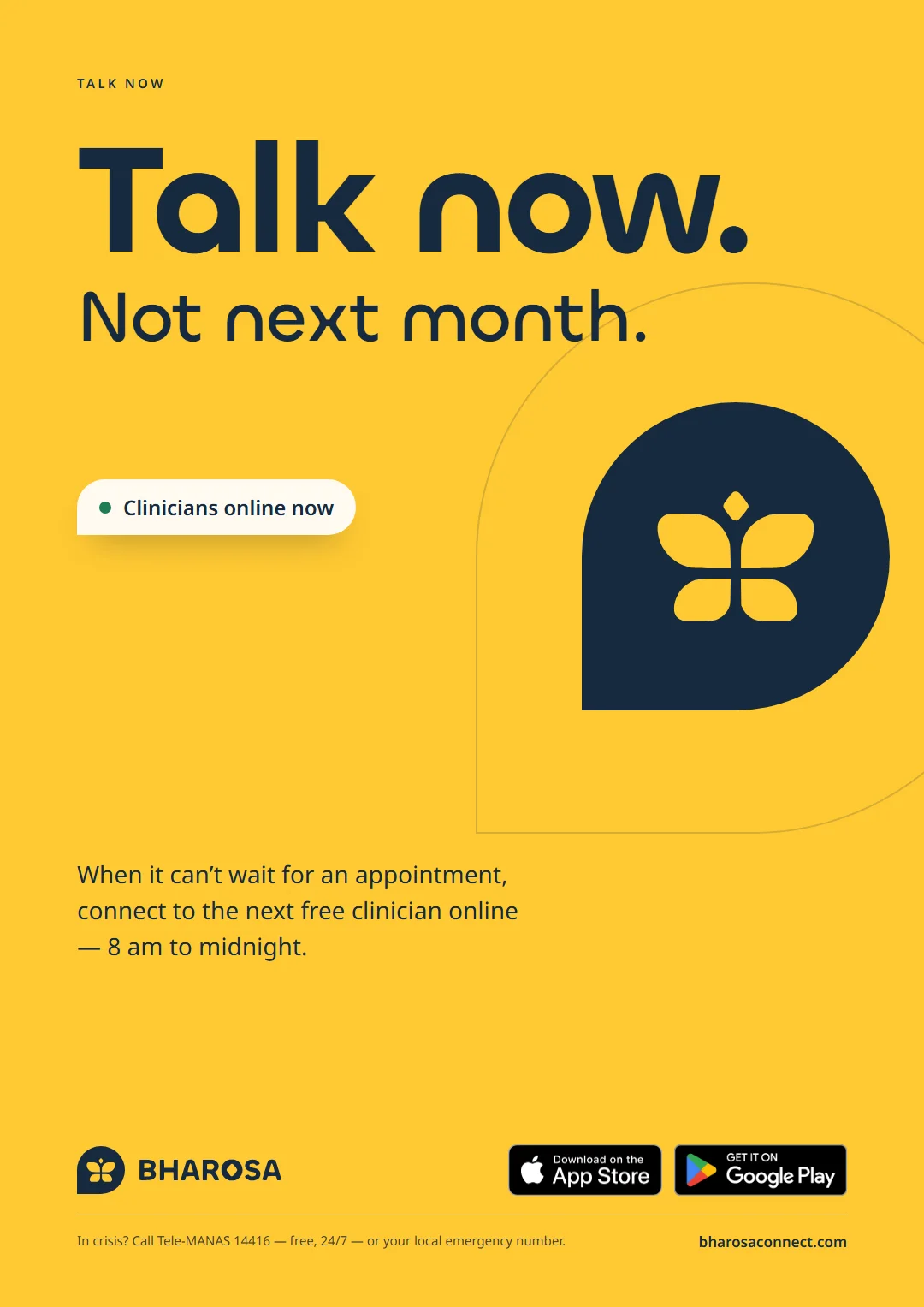
Talk now. Not next month.
When it can’t wait for an appointment, connect to the next free clinician online.
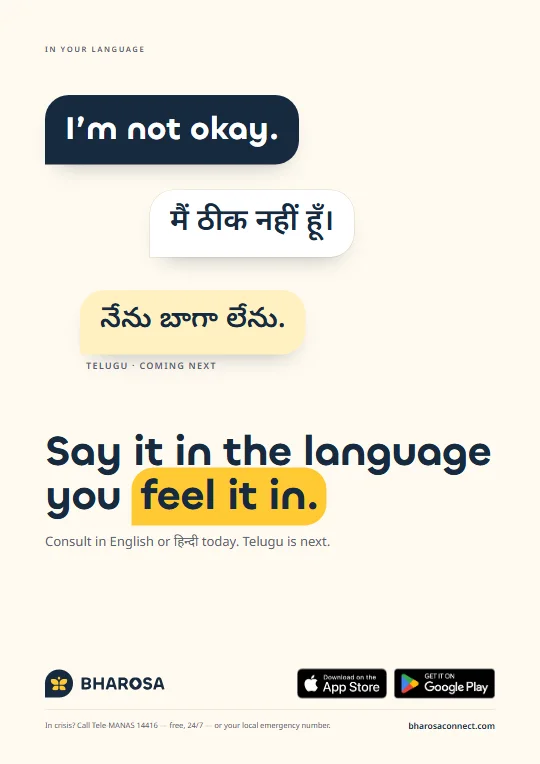
Poster 05
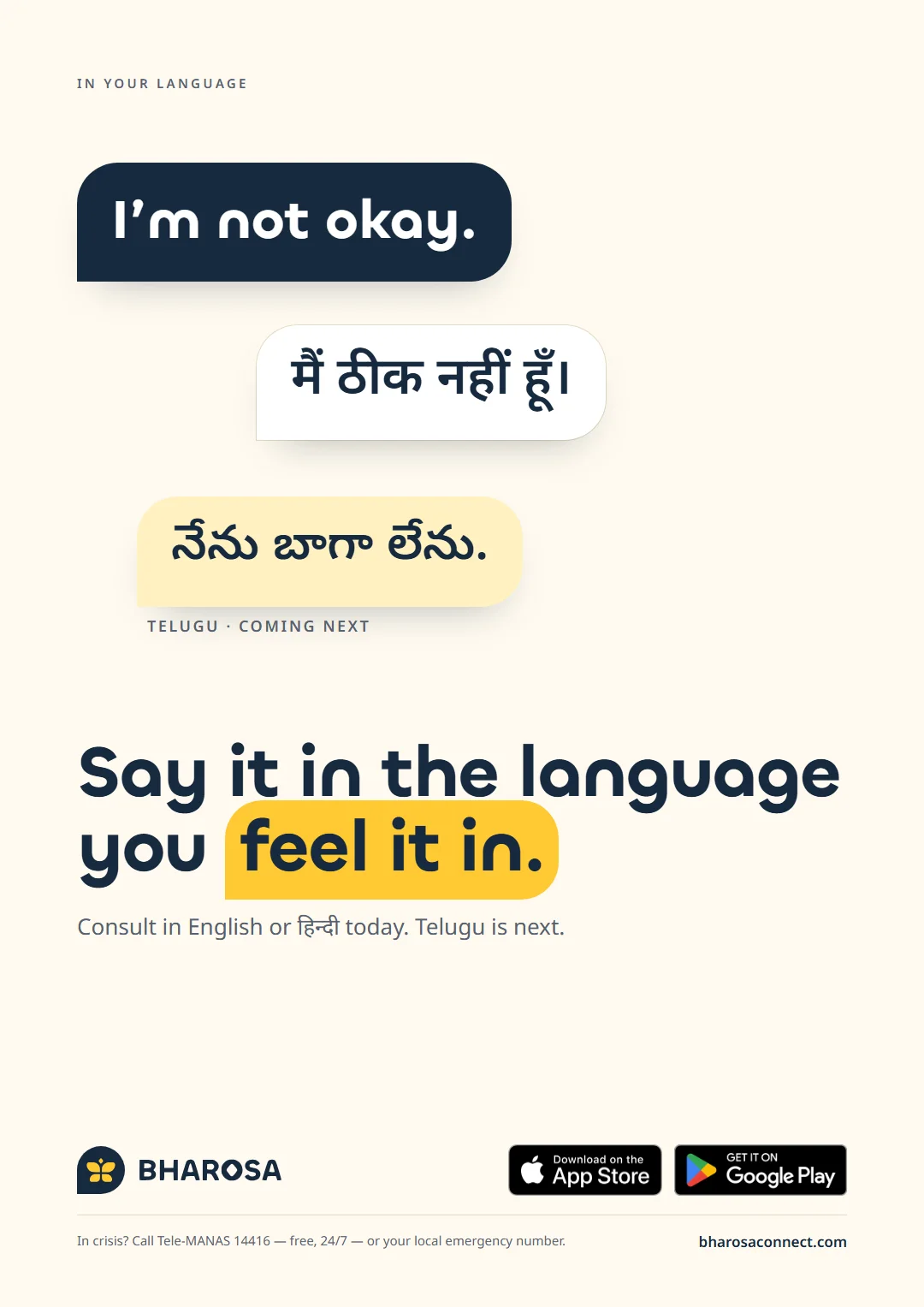
I’m not okay.
Say it in the language you feel it in — English or हिन्दी today, Telugu next.
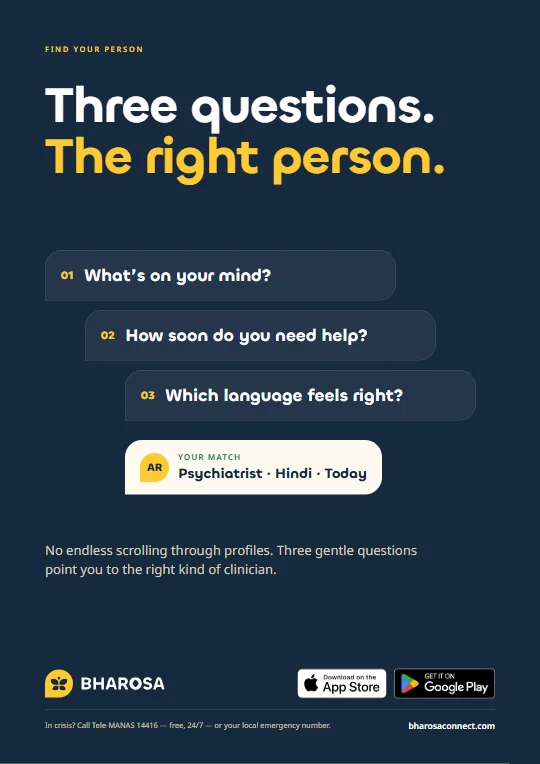
Poster 06
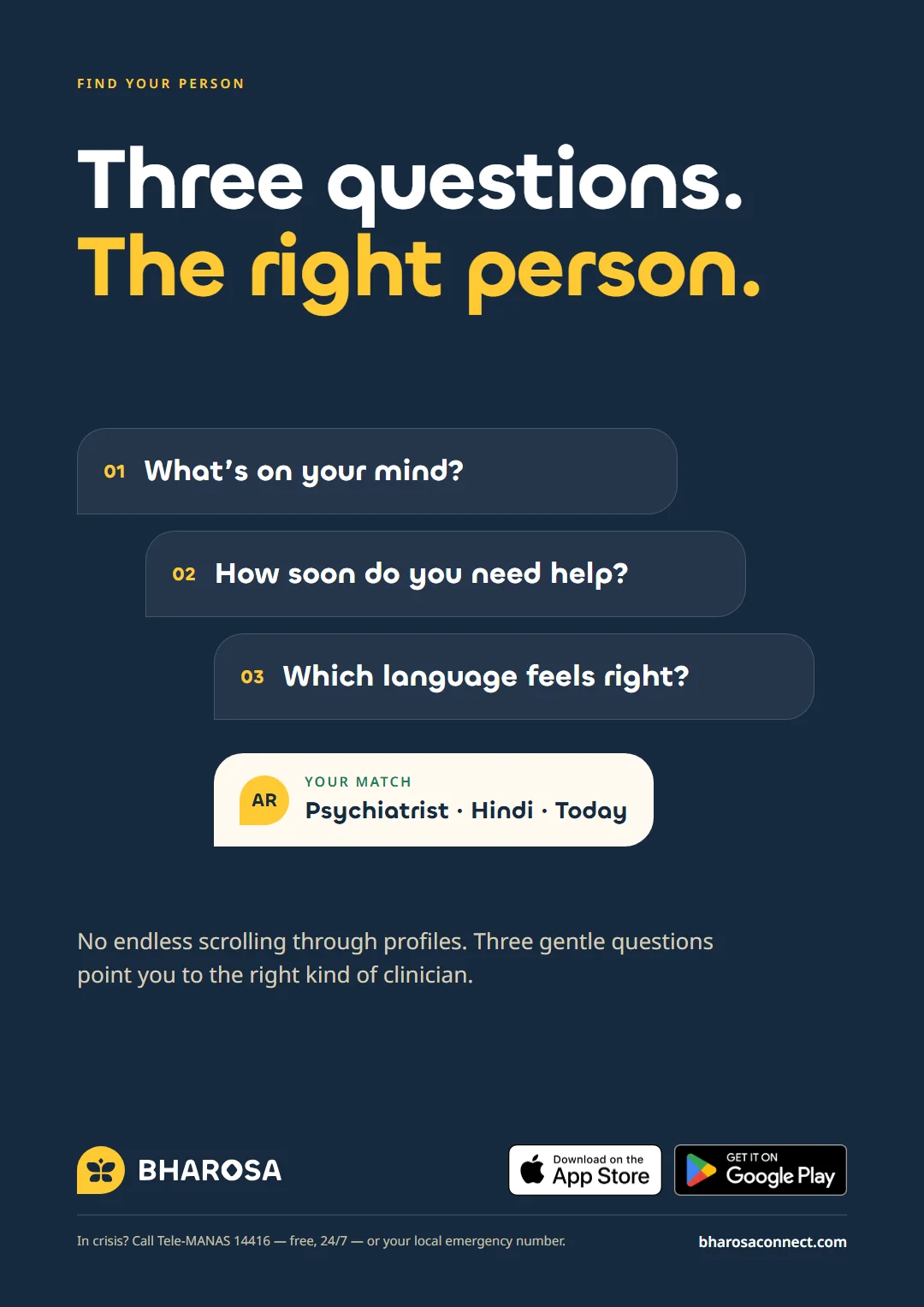
Three questions. The right person.
No endless scrolling through profiles — three gentle questions find the right kind of clinician.
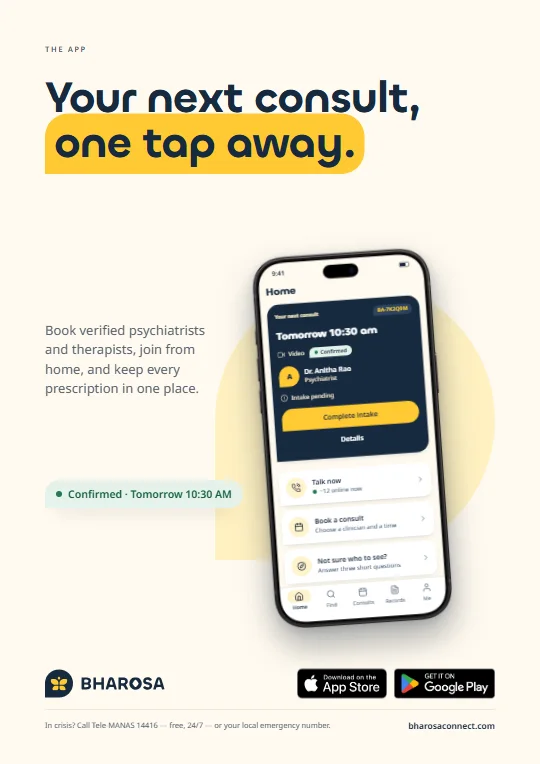
Poster 07
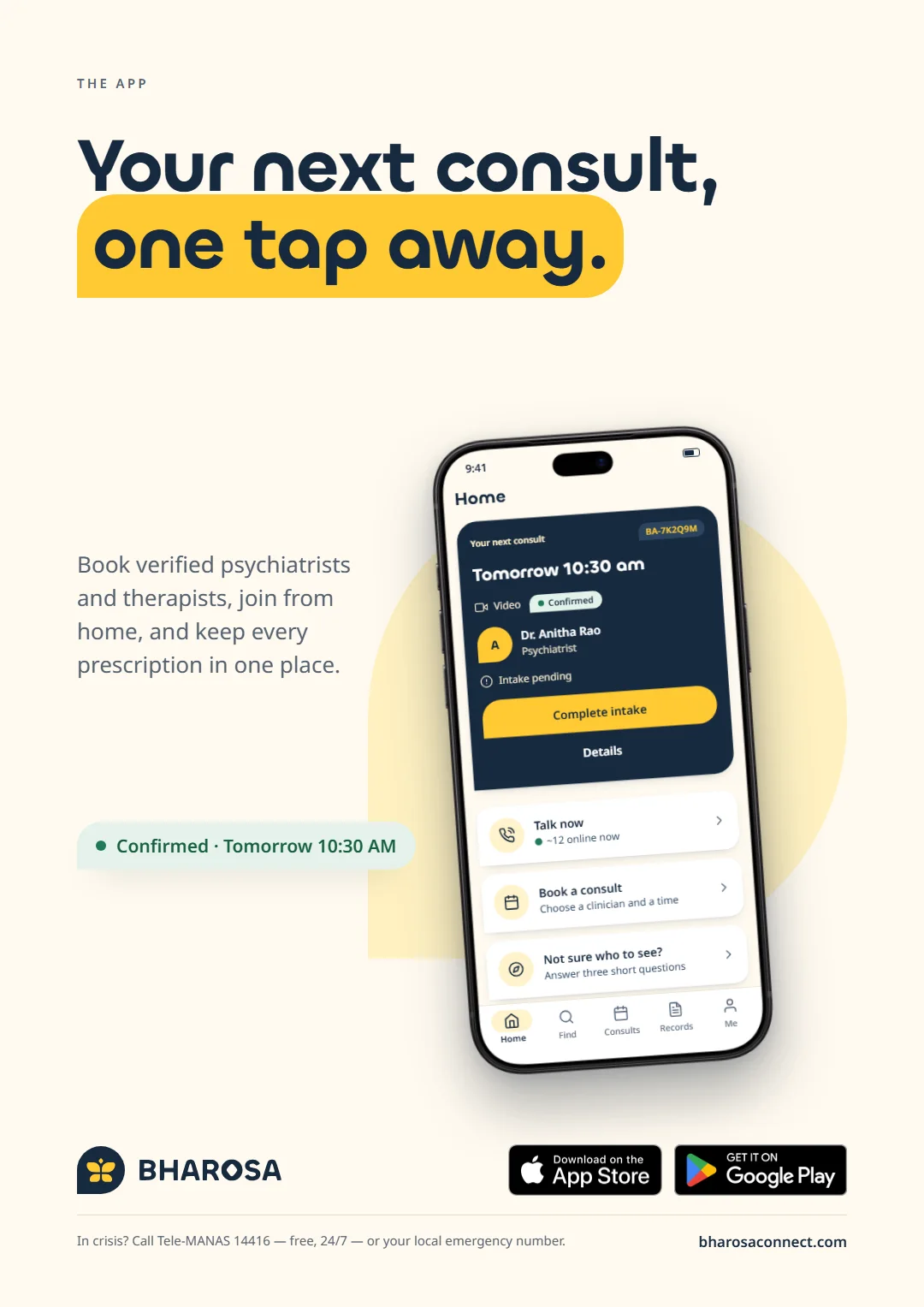
Your next consult, one tap away.
The app’s Home screen, set as the hero of the poster.
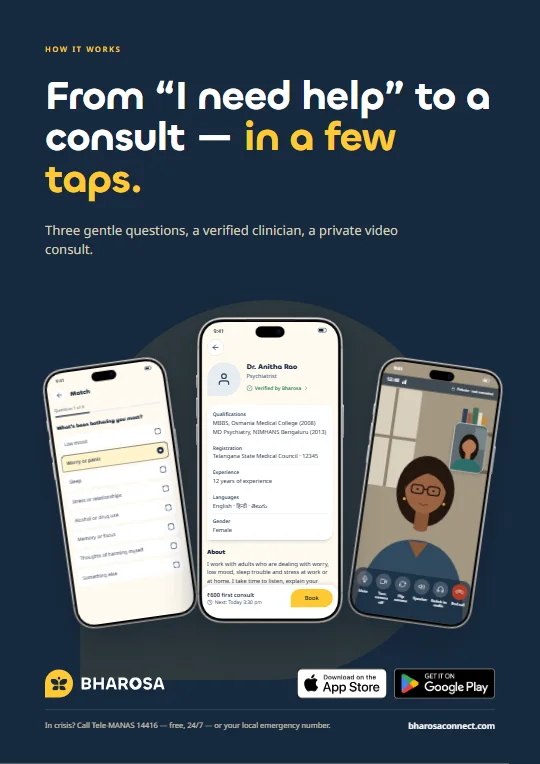
Poster 08
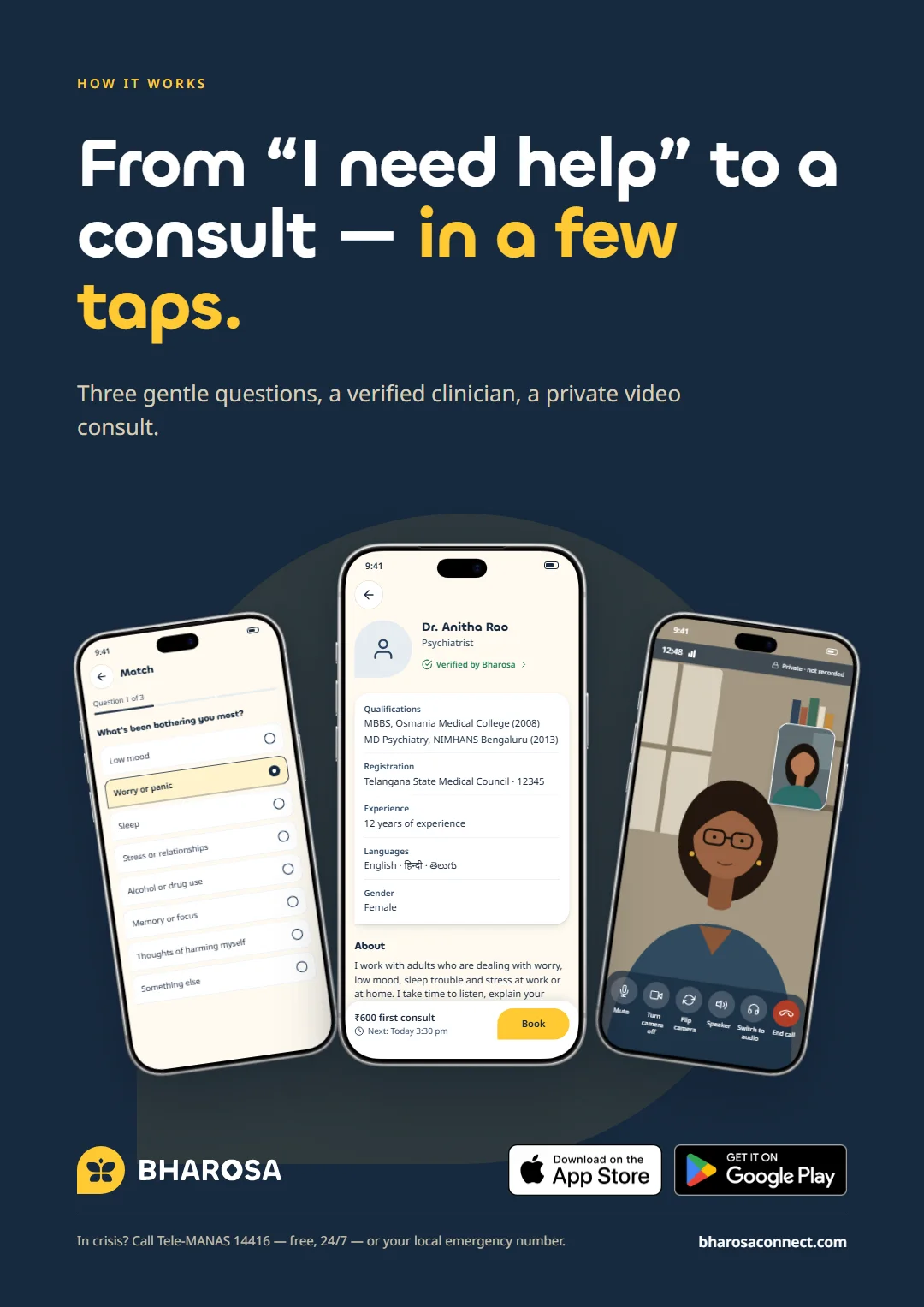
From “I need help” to a consult — in a few taps.
Three gentle questions, a verified clinician, a private video consult.
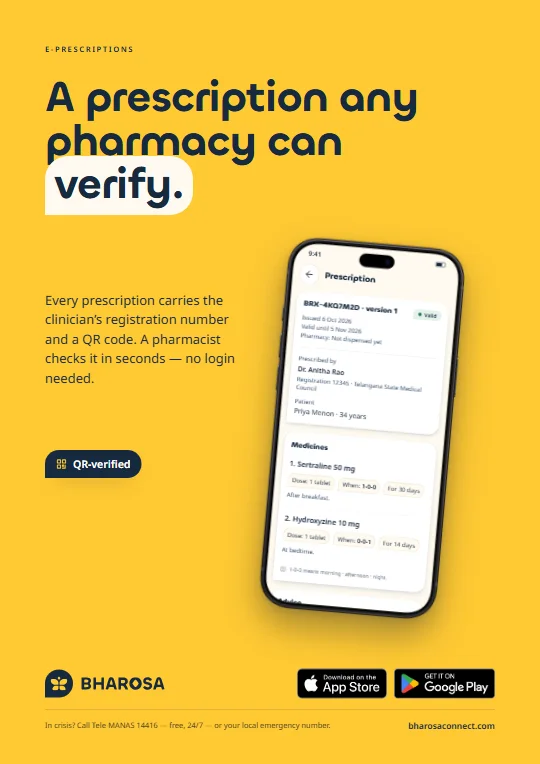
Poster 09
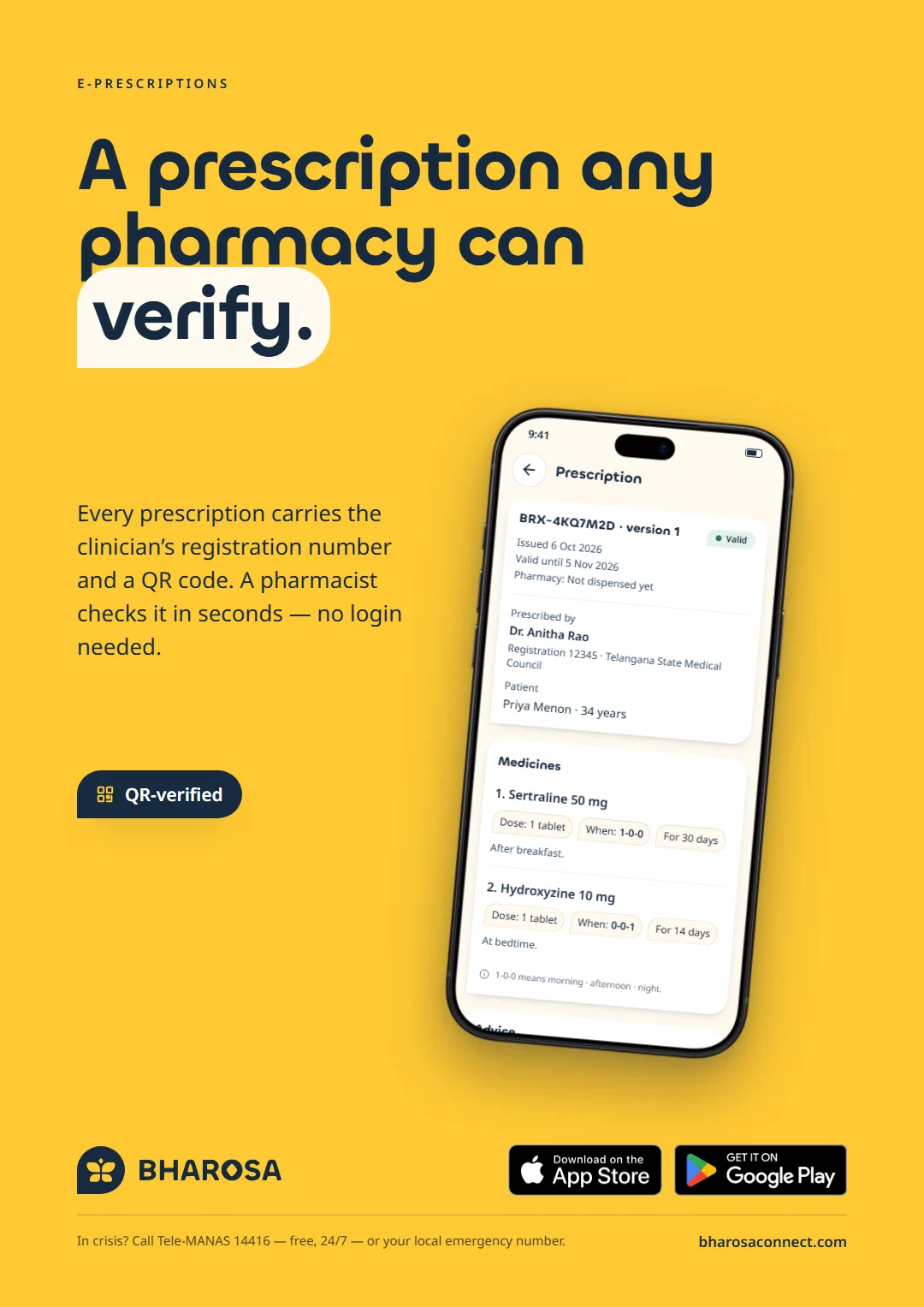
A prescription any pharmacy can verify.
Every prescription carries the clinician’s registration number and a QR code.
Get the app
Launching on iOS and Android.
- App StoreComing soon
- Google PlayComing soon
Have something that deserves this much care?
From the first requirement to the store launch and the campaign that announces it — we design, build and brand products people trust. Book a free 30-minute strategy call.