Web development · 9 min read
Website for builders in the UK: what actually wins jobs in 2026
What a UK builder's website needs in 2026: proof of TrustMark or FMB membership, insurance, project photos, areas covered and a quick quote form.
On this page
- How do UK homeowners find and check a builder in 2026?
- What should a builder's website show to win the job?
- Does a builder's website need to work on a phone first?
- How does a website work with your Google Business Profile?
- Should you rely on Checkatrade or MyBuilder instead of your own website?
- What should a builder website brief include?
- Where does Build-Hive fit?
- How we work with UK builders
- Frequently asked questions
- Ready to plan your site?
- Sources
A UK builder's website wins jobs when it lets a homeowner check you quickly. Show verifiable memberships such as TrustMark or the FMB, proof of insurance, your guarantee, real project photos and the areas you cover. Make it fast on a phone, link it to your Google Business Profile, and put a simple quote request on every page.
I run Digital Architect, a small web and app studio in India. We built a construction platform for builders in Oxfordshire, so we have spent time inside this trade. This guide covers what homeowners check, and what your site should show them.
How do UK homeowners find and check a builder in 2026?
Homeowners find builders through search, word of mouth and directories, then check them against trusted sources before asking for quotes. Those directories include Checkatrade, MyBuilder, TrustMark and Which? Trusted Traders.
The advice they read is consistent. Which? tells homeowners to get three comparable written quotes and to see evidence of public liability insurance. It also says to check for an insurance-backed warranty and read reviews or references.
The Federation of Master Builders (FMB) goes further. It tells homeowners to verify membership through its "Check a member" service rather than trusting a logo. It also suggests asking to see finished projects of a similar size.
The Competition and Markets Authority (CMA) published guidance on trader recommendation sites in November 2024. It warns people not to accept words like "trusted" at face value. It also tells them to cross-check traders against trade associations or independent review platforms.
So your website is rarely the first touch. It is the place a homeowner goes to confirm what they have heard. If it cannot back up your claims, they move to the next name.
What should a builder's website show to win the job?
A builder's website should answer the checks homeowners have been told to make, in the order they make them. Each item below maps to advice from Which?, the FMB, TrustMark or the CMA.
| What to show | Why homeowners look for it | How to show it well |
|---|---|---|
| TrustMark, FMB or other memberships | TrustMark calls itself the UK's only Government Endorsed Quality Scheme. FMB members are inspected before joining. | Link each logo to your entry on the scheme's own register. |
| Public liability insurance | Which? and the FMB both tell homeowners to ask for proof. | State your insurer and cover. Offer the certificate on request. |
| Guarantee or warranty | TrustMark businesses offer a minimum two-year guarantee. Which? recommends insurance-backed warranties. | Explain what is covered, for how long, and who backs it. |
| Project photos | The FMB suggests seeing completed work of similar size and complexity. | One page per project: before, during, after, location and scope. |
| Reviews and references | The CMA and FMB both point to patterns across recent, verified reviews. | Pull in Google reviews. Link to your profiles on review platforms. |
| Areas covered | Homeowners want a local builder who will turn up. | List towns and postcodes. Build a page for each main area. |
| Quote request | Which? and the FMB both advise getting written quotes. | A short form: job type, postcode, rough budget, photos, timing. |
Do not use a membership logo you cannot prove. Homeowners are being told to check, and a broken claim costs you the job.
Does a builder's website need to work on a phone first?
Yes, design for the phone first, because that is where most people are online. Ofcom's 2025 Online Nation research found UK adults spend about four and a half hours online a day. It also found most of that time is on a smartphone.
For a builder, that changes the layout. Your phone number should be one tap away on every page. The quote form should work with a thumb and accept photos from the camera roll. Project galleries should load fast on mobile data, not only on site Wi-Fi.
Keep pages light. Compress images, avoid heavy sliders and test on an older Android phone, not only the latest iPhone.
How does a website work with your Google Business Profile?
Your Google Business Profile wins the map listing, and your website closes the deal. Google says local results are based mainly on relevance, distance and prominence. It also says there is no way to pay for a better local ranking.
Relevance comes from complete, accurate business information. Prominence comes partly from reviews and from other websites linking to you. Google says more reviews and positive ratings can help your local ranking, and that replying to reviews shows you value feedback.
Your website supports all three signals. Use the same business name, phone number and service areas on both. Link your profile to a page that matches the search, such as a loft conversions page, not just your home page. Add the same project photos to both.
Most builders work at the customer's home, so set service areas on your profile. Google allows up to 20 areas, set by town or postcode. It says they should stay within about two hours' drive of your base. If customers do not visit your address, Google says to remove it from your profile.
Ofcom also reports that Google Search is used by 82% of UK adults. It says about 30% of searches now show AI overviews. Clear, factual pages give those summaries something accurate to quote about your business.
If you want help with this side, see our local SEO and Google Business Profile work.
Should you rely on Checkatrade or MyBuilder instead of your own website?
Use directories for reach, but do not make them your only home online. They bring enquiries, but you do not control the page, the layout or the rules.
The CMA guidance tells homeowners to cross-check what they see on recommendation sites against other sources. Your own website is one of those sources. It is also the only place where you decide what a homeowner sees first.
The FMB notes that rating sites often do basic checks but do not inspect a builder's work. Your own project pages, with real photos and clear scope, fill that gap.
What should a builder website brief include?
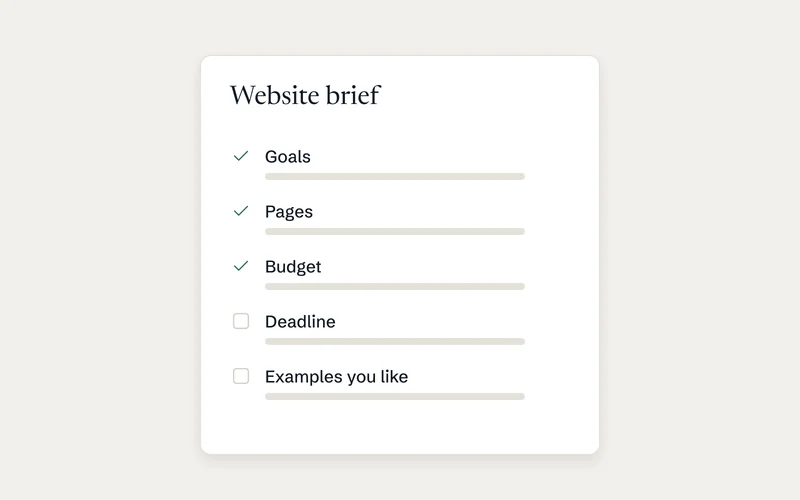
A good brief lists the pages, proof and enquiry steps before anyone starts designing. Use this checklist before you speak to any web designer.
- List every service you want leads for, such as extensions, loft conversions, roofing or kitchens.
- List the towns and postcodes you cover, in order of priority.
- Gather membership numbers and links to each scheme's register.
- Get your insurance details and guarantee terms in writing.
- Collect photos of five to ten finished jobs, with location and scope for each.
- Decide what the quote form must ask, and who receives each enquiry.
- Confirm your Google Business Profile details match what the site will say.
- Make sure the domain, hosting and Google accounts will be in your name.
The last point matters more than people think. If a web designer owns your domain, they own your phone ringing.
Where does Build-Hive fit?
Build-Hive is a UK construction platform we built for builders in Oxfordshire. One materials list goes to every merchant, quotes are compared, and purchase orders are raised. It also handles delivery checks, GPS time tracking, invoice matching and Stripe billing, on the web and native iOS and Android apps. We built the core platform in 12 weeks. We then designed its marketing website with one page per search intent, which is the approach this guide recommends. You can read the Build-Hive case study.
How we work with UK builders
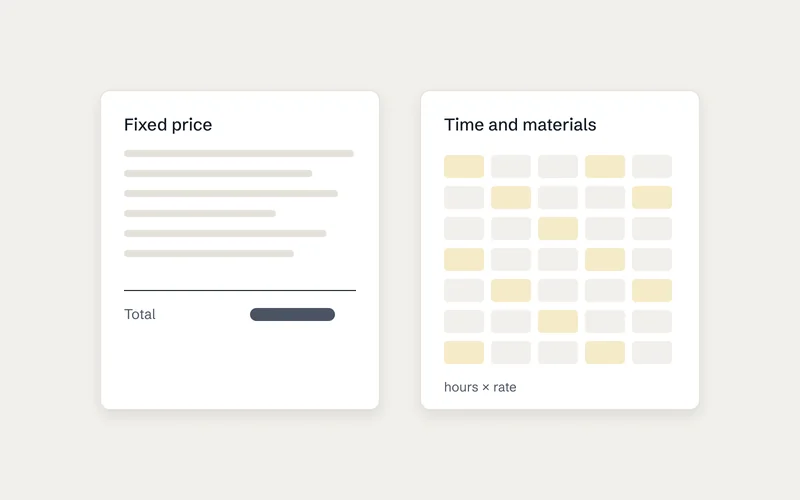
We start with a free 30-minute call. Within five to seven business days you get a written plan and a fixed price. Every screen is designed in Figma before we write code. You get a weekly progress link while we build. At launch, the domain, hosting and accounts are all in your name. You can see how we price projects before we talk.
Frequently asked questions
What pages does a builder's website need?
At minimum: a home page, one page per main service and one per main area. Add a projects section and a contact page with a quote form. Add an "about" page that shows your memberships, insurance and guarantee.
Do I need TrustMark or FMB membership to get work online?
No, but homeowners are told to look for it and to check it. Which? says FMB membership can give extra reassurance, though membership alone does not guarantee a good builder. If you hold a membership, link to your listing so people can verify it.
How do builders get leads online without paying for every one?
Combine a complete Google Business Profile with a website that has a page for each service and area. Google says local ranking depends on relevance, distance and prominence, and cannot be bought. Reviews, accurate details and helpful pages all feed those signals.
Can a studio outside the UK build a website for a UK builder?
Yes, if the process is clear and you keep ownership. Ask for a fixed price, designs before code, regular progress updates and every account in your name.
Ready to plan your site?
If you are a UK builder, contractor or trades business, book a free 30-minute call. We will tell you what your site needs, and send a written plan and fixed price within five to seven business days. Start at website development for UK and international clients.
Sources
- How to hire guide: builders – Which? Trusted Traders
- How to choose a builder – Federation of Master Builders
- Key benefits – TrustMark
- What to consider when using trader recommendation sites – Competition and Markets Authority, GOV.UK
- How to improve your local ranking on Google – Google Business Profile Help
- Manage your service areas for service-area and hybrid businesses – Google Business Profile Help
- From apps to AI search: how the UK goes online in 2025 – Ofcom
Get a free website check for your building firm
Send us your website. Arjun will check it on a phone and a laptop against the list in this guide (memberships, insurance, project photos, areas covered and the quote form) and email you what to fix first within two working days. It's free, with no obligation.